109
Chapter 16
Administrate Your Network
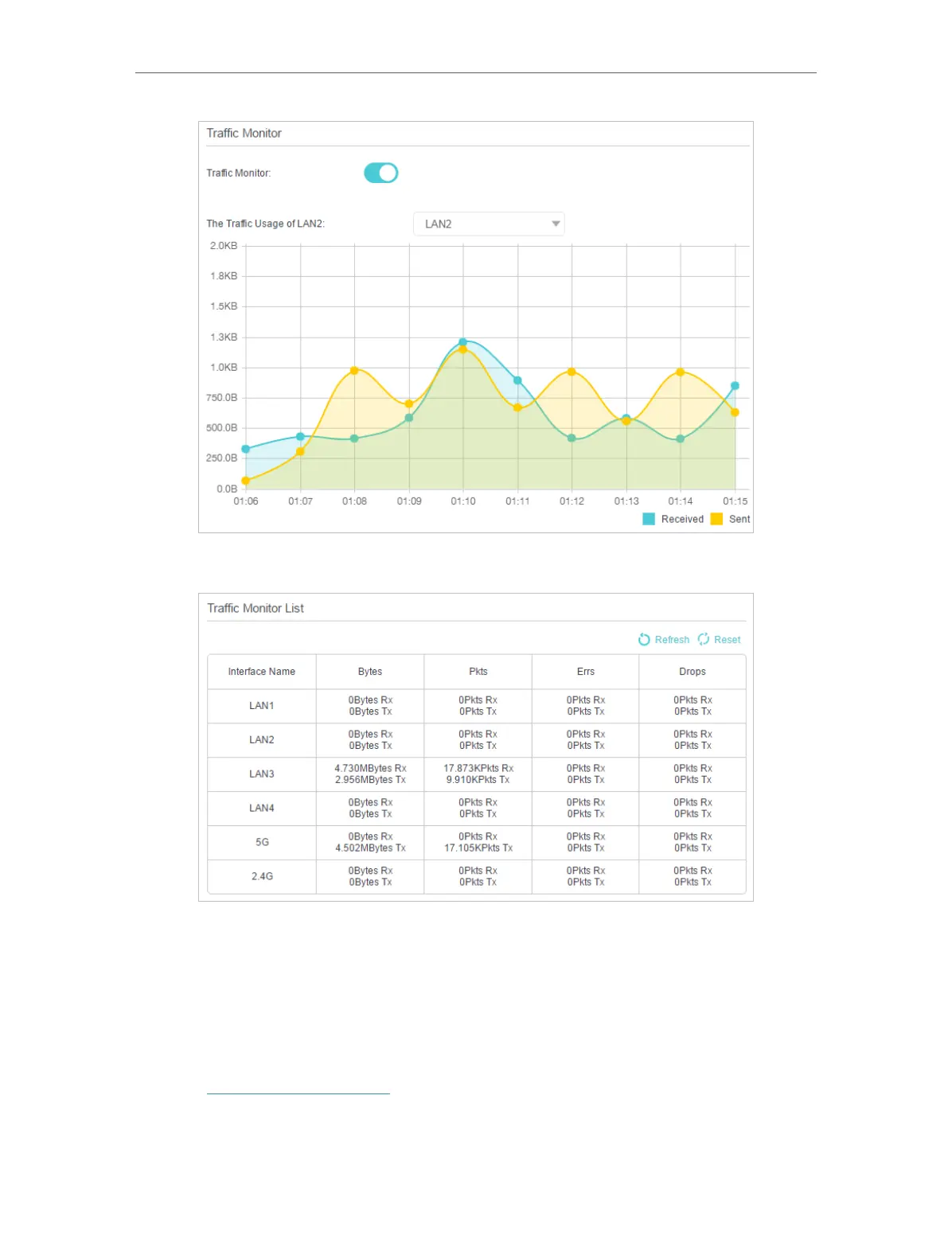
4. You can also go to Traffic Monitor List to view the traffic usage of all interfaces.
16. 11. CWMP Settings
The modem router supports CWMP (CPE WAN Management Protocol), also called
TR-069. This collects information, performs diagnostics and configures the devices
automatically via ACS (Auto-Configuration Server).
1. Visit http://tplinkmodem.net, and log in with your TP-Link ID or the password you
set for the router.
2. Go to Advanced > System Tools > CWMP Settings page.




 To Next Page