Omada L2+/Stackable Lite L3 Managed Switch
07Introduction
LED Indication
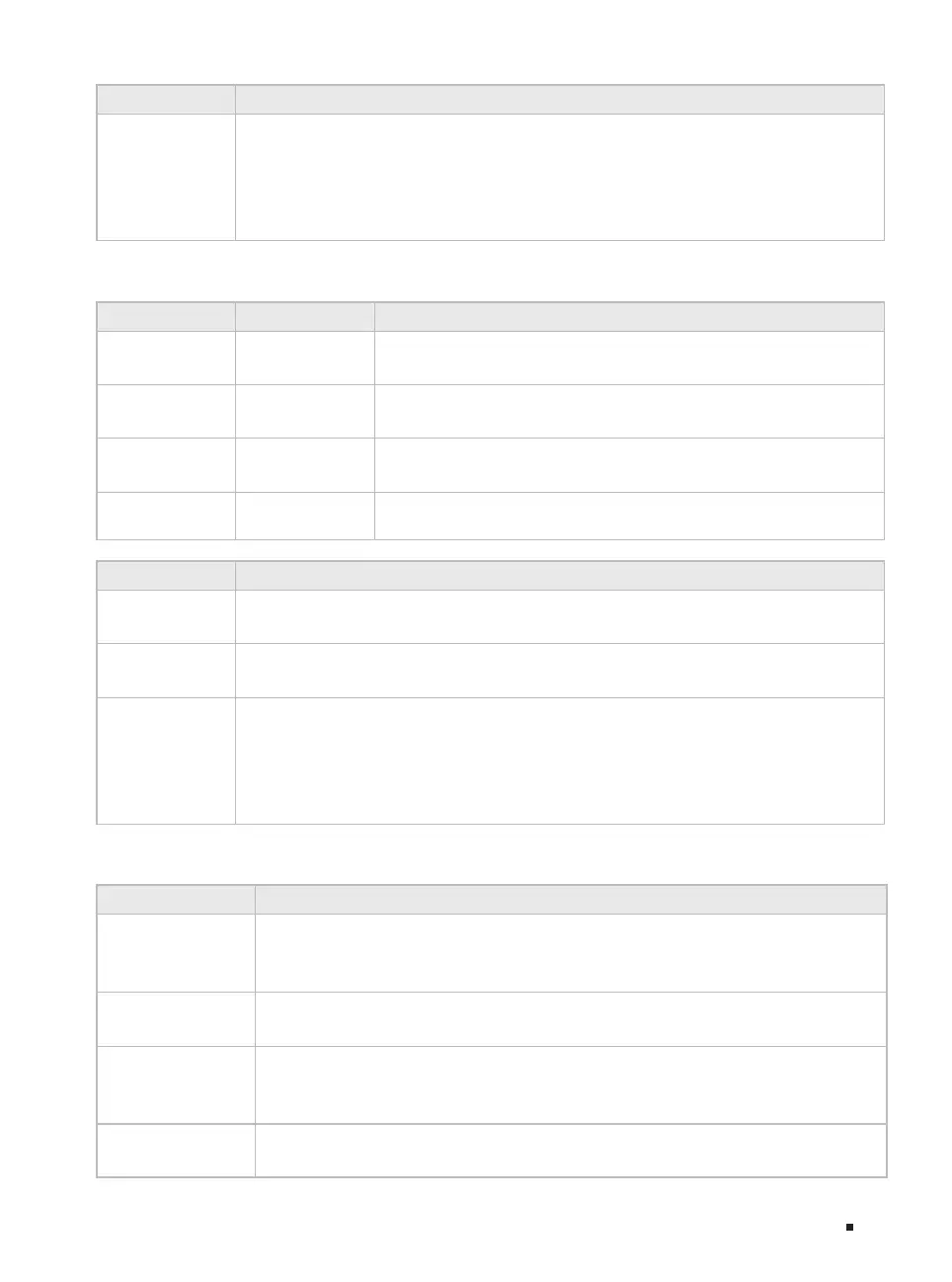
Port 1
–
8
Green On: Running at 10 Gbps, but no activity.
Green Flashing: Running at 10 Gbps and transmitting or receiving data.
Yellow On: Running at 1 Gbps, but no activity.
Yellow Flashing: Running at 1 Gbps and transmitting or receiving data.
Off: No device is linked to the corresponding port.
For SX3016F/SX3032F
PWR1* PWR2 Indication
Green On Off
The switch is powered by PWR1.
PWR2 is disconnected or it works improperly.
Green On Yellow On**
The switch is powered by PWR1.
PWR1 and PWR2 are connected.*
Off Green On
The switch is powered by PWR2.
PWR1 is disconnected or it works improperly.
Off Off
The switch is powered off or both PWR1 and PWR2 work
improperly.
LED Indication
SYS
Flashing: The switch works properly.
On or Off: The switch works improperly.
FAN
Green: All the fans work properly.
Yellow: Not all the fans work properly.
Port 1
–
16 of
SX3016F/
Port 1-32 of
SX3032F
Green On: Running at 10 Gbps, but no activity.
Green Flashing: Running at 10 Gbps and transmitting or receiving data.
Yellow On: Running at 1 Gbps, but no activity.
Yellow Flashing: Running at 1 Gbps and transmitting or receiving data.
Off: No device is linked to the corresponding port.
For SX3832/SX3832MPP
LED Indication
PWR
On: The switch is powered on.
Off: The switch is powered off or power supply is abnormal.
Flashing: Power supply is abnormal.
SYS
Flashing: The switch works properly.
On or Off: The switch works improperly.
PoE Max
(Only for SX3832MPP)
On: The remaining PoE power is ≤ 7 W.
Flashing: The remaining PoE power keeps ≤ 7 W after this LED is on for 2 minutes.
Off: The remaining PoE power is > 7 W.
FAN
Green: All the fans work properly.
Yellow: Not all the fans work properly.








 To Next Page