Omada L2+/Stackable Lite L3 Managed Switch
05Introduction
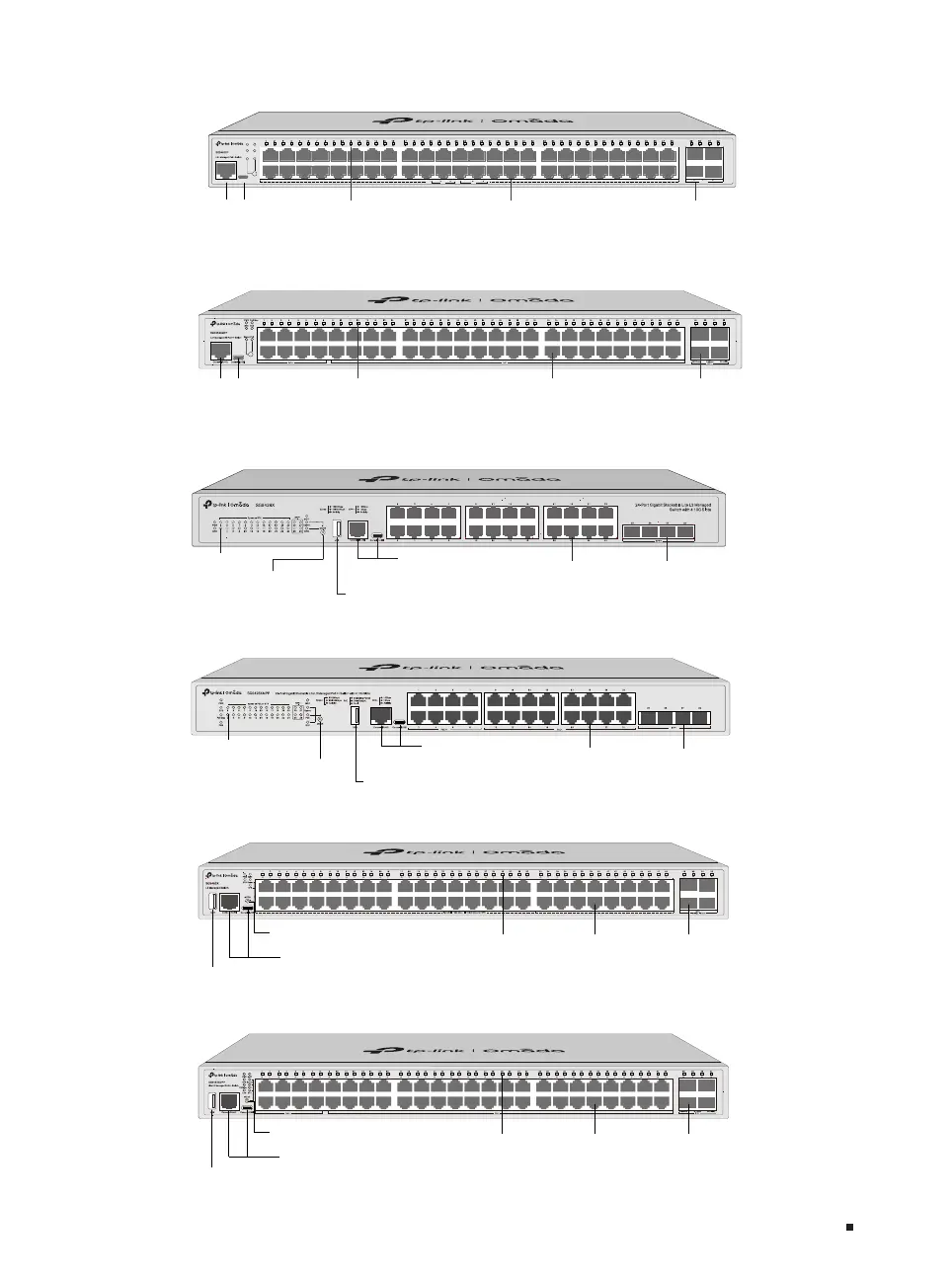
The front panel of SG3452XP is shown as the following figure.
1G RJ45 Port
Console Port
(RJ45/USB)
Speed
PWR
SYS
PoE Max
FAN
PoE
Console(USB)Console(RJ45)
PoE
Delivering Power
Over Budget
Fault
Speed
activity1000Mbps
10/100Mbps
activity10Gbps
1Gbps
SFP+
The front panel of SG3452XMPP is shown as the following figure.
1G RJ45 Port
Console Port
(RJ45/USB)
LED SFP+ Slot
The front panel of SG5428X is shown as the following figure.
LED
Console Port
(RJ45/USB)
1G RJ45 Port SFP+ Slot
Mode Selection
The front panel of SG5428XMPP is shown as the following figure.
LED
Console Port
(RJ45/USB)
1G RJ45 Port SFP+ Slot
Mode Selection
The front panel of SG5452X is shown as the following figure.
LED
Console Port (RJ45/USB)
1G RJ45 Port SFP+ Slot
Mode Selection Button
The front panel of SG5452XMPP is shown as the following figure.
LED
Console Port (RJ45/USB)
1G RJ45 Port SFP+ Slot
Mode Selection Button








 To Next Page