TD-8811/8811B External ADSL2+ ROUTER
10
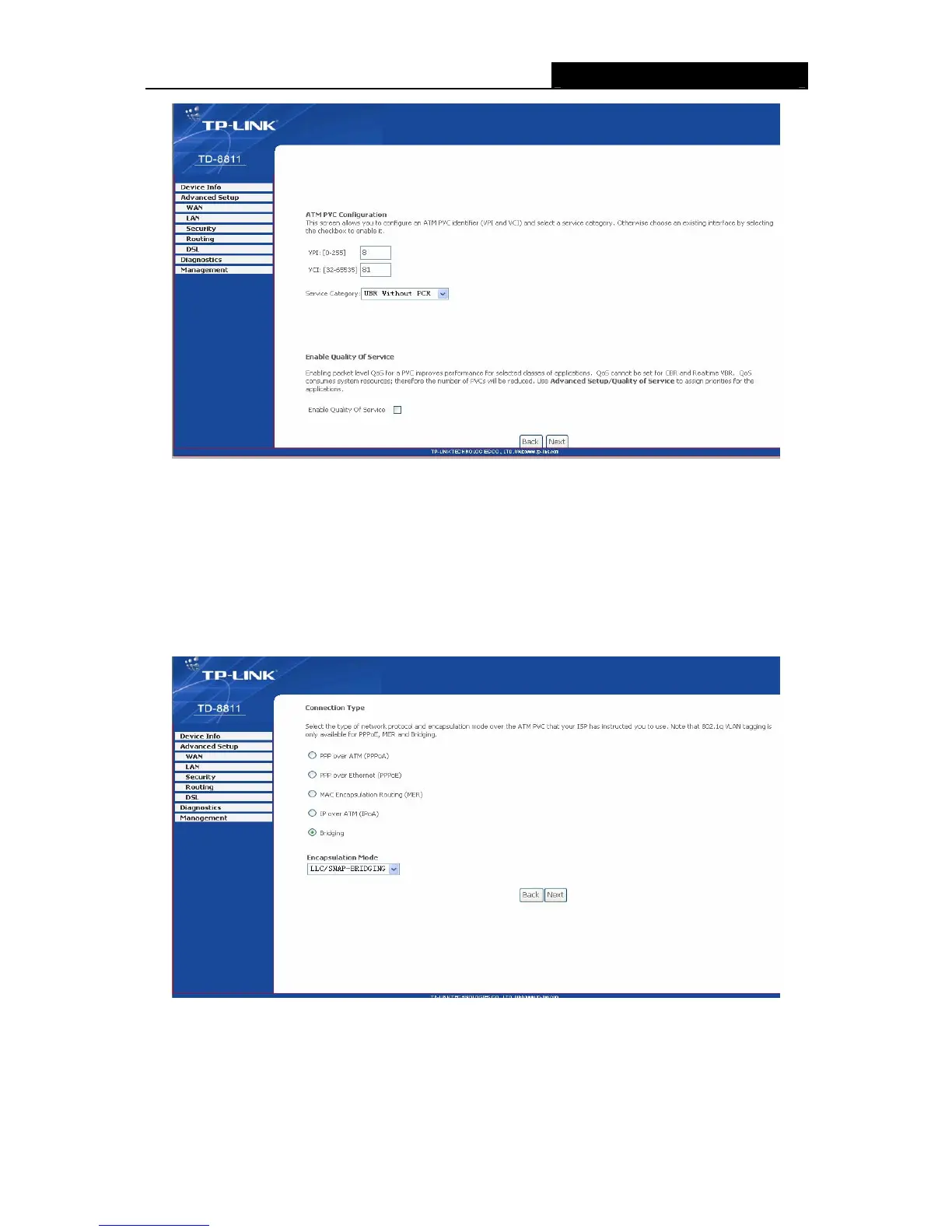
Figure 3-8
Enter VPI/VCI value and service category which is provided by your ISP, click next to enter the
next step. You will see the Figure 3-9.
)
Note:
The type of network protocol selected may be different in different areas, there are five types
(Figure 3-9), so you should ask your ISP to acquire the local type of network protocol and
Encapsulation mode.
Figure 3-9
After choosing the proper protocol, enter the correct parameters supported by your ISP. Enable
the configurations, then you can surf on the Internet.
¾ PPP over ATM (PPPoA)
If you select the protocol of PPP over ATM (PPPoA), you will see the Figure 3-10, enter the value



 To Next Page
 Loading...








