TD-8811/8811B External ADSL2+ ROUTER
12
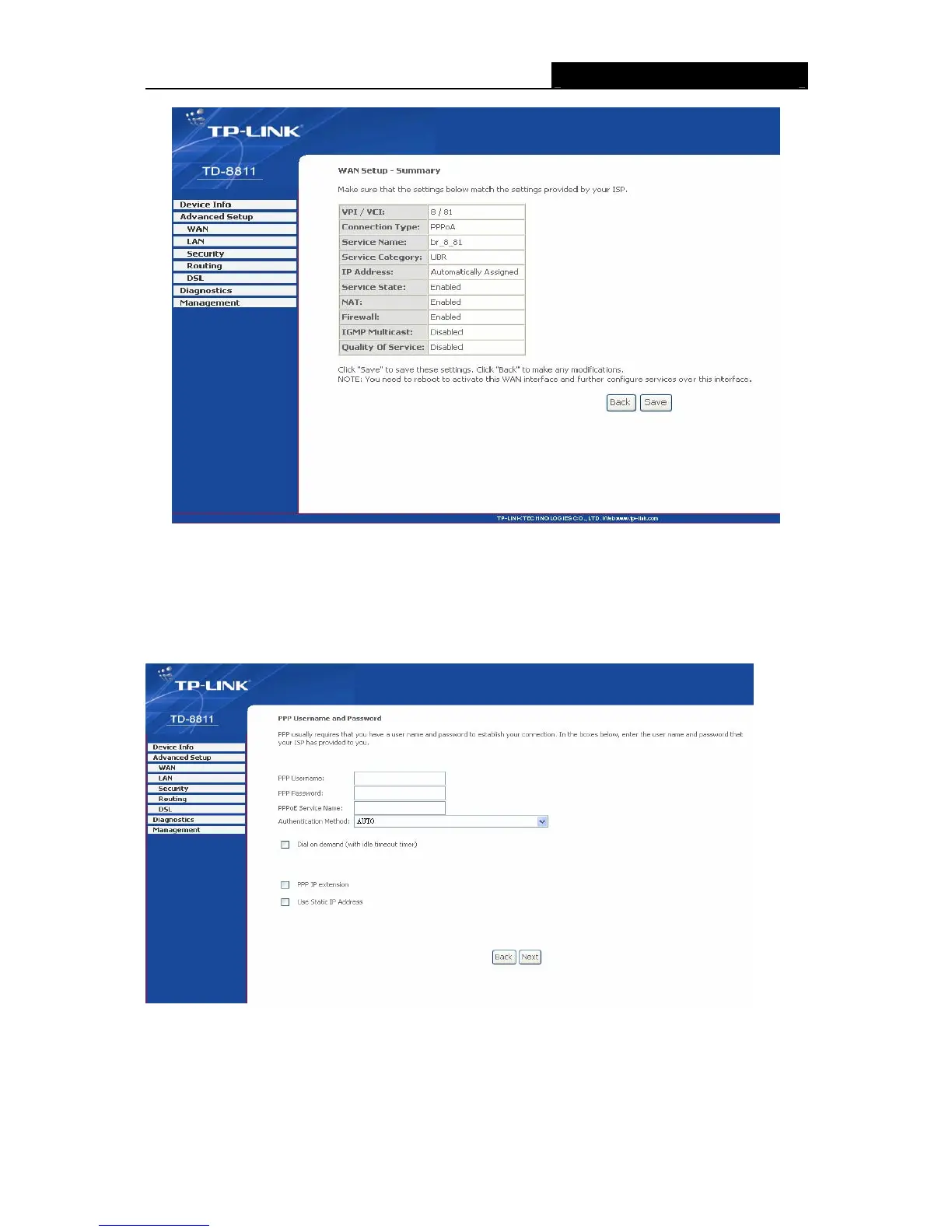
Figure 3-12
¾ PPP over Ethernet (PPPoE)
If you select the protocol of PPP over Ethernet (PPPoE), you will see the Figure 3-13, enter the
value of user name and password which is provided by your ISP, after selecting other functions
(often using the default setup), click the next button.
Figure 3-13
You will see the Figure 3-14. Then turn on the selected functions according to your needs.
Clicking the next button to enter the next step, you will see the Figure 3-15, finally click save to
complete the configuration.



 To Next Page
 Loading...








