50
Step 4:
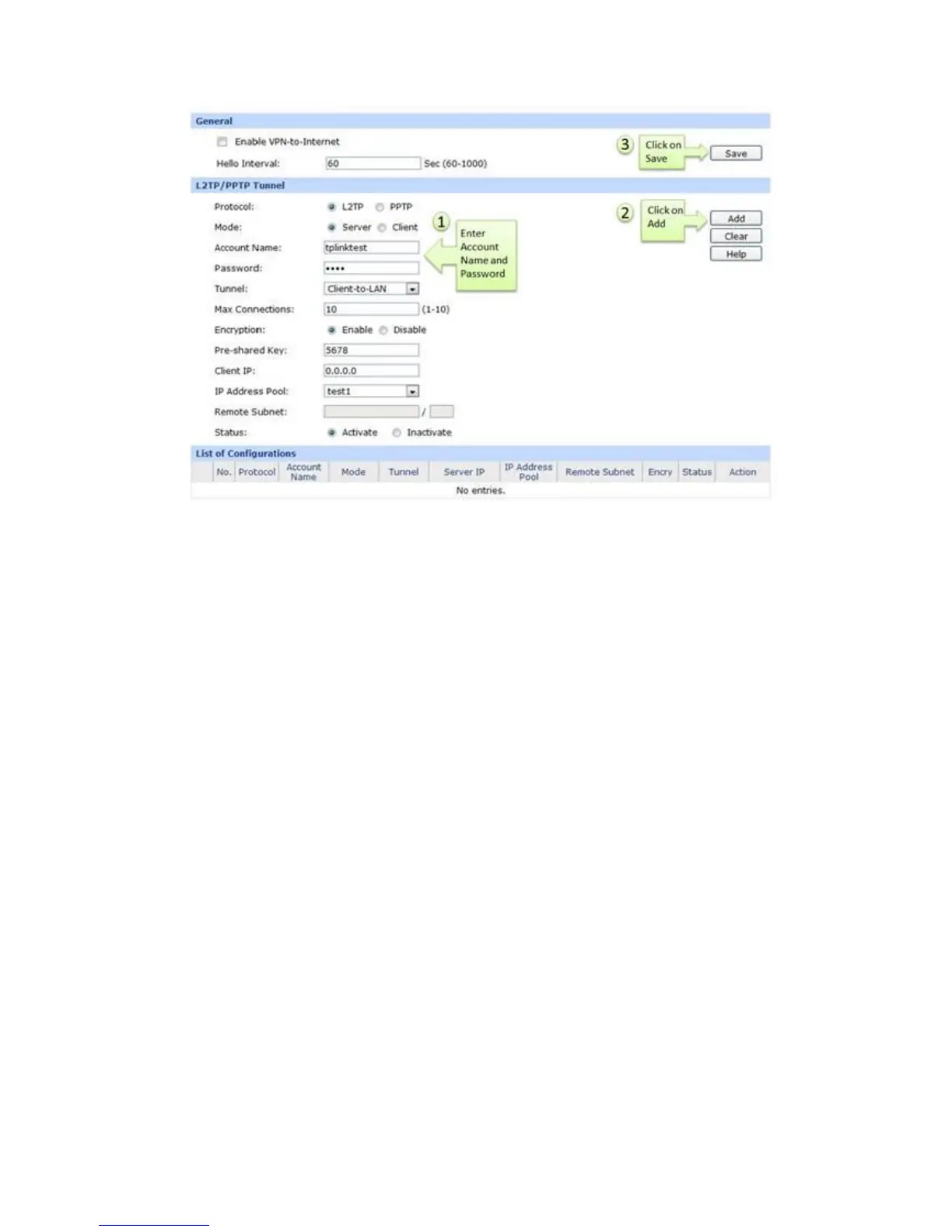
Enter Account Name and Password whatever you like, here we use “tplinktest” as account
name, password is “1234”.
Step 5:
Under Tunnel, select Client-to-LAN.
Step 6:
The tunnel supports up to 10 connections, we enter 10 in this example.
Step 7:
Under Encryption, select Enable, and then enter “5678” as Pre-shared Key.
Step 8:
Under IP Address Pool, select “test1” we have added before.


 To Next Page
 Loading...