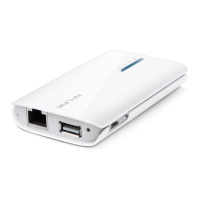
TL-MR3040 Portable 3G/3.75G Battery Powered Wireless N Router
• Version - You can select one of following versions.
1) Automatic (Recommended) - Select WPA-PSK or WPA2-PSK automatically
based on the wireless station's capability and request.
2) WPA-Personal - Pre-shared key of WPA.
3) WPA2-Personal - Pre-shared key of WPA2.
• Encryption - When you select WPA-Personal or WPA2-Personal for Authentication
Type, you can select either Automatic (Recommended), TKIP or AES as Encryption.
• PSK Passphrase - Enter a passphrase here.
• Group Key Update Period - Specify the group key update interval in seconds. The
value can be either 0 or at least 30. Enter 0 to disable the update.
¾ WPA/WPA2 – Enterprise - Select WPA/WPA2 based on Radius Server.
• Version - You can select one of following versions.
1) Automatic - Select WPA or WPA2 automatically based on the wireless station's
capability and request.
2) WPA - Wi-Fi Protected Access.
3) WPA2 - WPA version 2.
• Encryption - You can select either Automatic, TKIP or AES.
• Radius Server IP - Enter the IP address of the Radius Server.
• Radius Port - Enter the port used by radius service.
• Radius Password - Enter the password for the Radius Server.
• Group Key Update Period - Specify the group key update interval in seconds. The
value can be either 0 or at least 30. Enter 0 to disable the update.
¾ WEP - Select 802.11 WEP security.
• Type - You can select one of following types.
1) Automatic - Select Shared Key or Open System authentication type automatically
based on the wireless station's capability and request.
2) Shared Key - Select 802.11 Shared Key authentication type.
3) Open System - Select 802.11 Open System authentication.
• WEP Key Format - You can select ASCII or Hexadecimal format. ASCII format stands
for any combination of keyboard characters in the specified length. Hexadecimal format
stands for any combination of hexadecimal digits (0-9, a-f, A-F) in the specified length.
-191-











 To Next Page