JetStream Smart Switch
09 Connection
Chapter 3 Connection
3.1 Ethernet Port
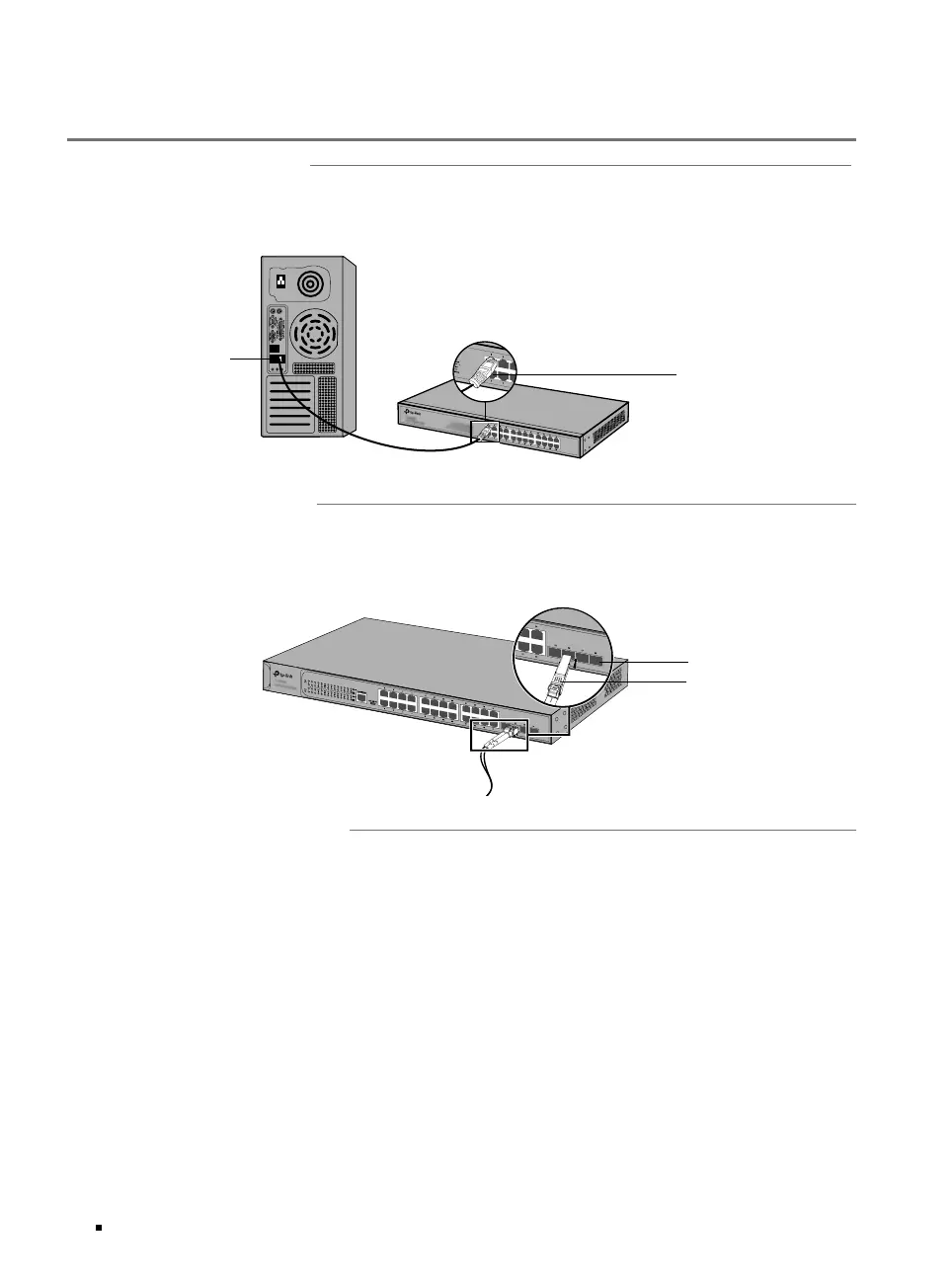
Connect an Ethernet port of the switch to the computer by RJ45 cable as the following figure shows.
Figure 3-1 Connecting the RJ45 Port
RJ45 Port
RJ45 Cable
3.2 SFP Slot
The following figure demonstrates the connection of SFP module to an SFP slot.
Figure 3-2 Inserting the SFP Module
SFP Slot
SFP Module
3.3 Verify Installation
After completing the installation, verify the following items:
■
There should be 5 to 10 cm of clearance around the device for ventilation and make sure the air flow
is adequate.
■
The voltage of the power supply meets the requirement of the input voltage of the device.
■
The power socket, device and rack are well grounded.
■
The device is correctly connected to other network devices.



 To Next Page