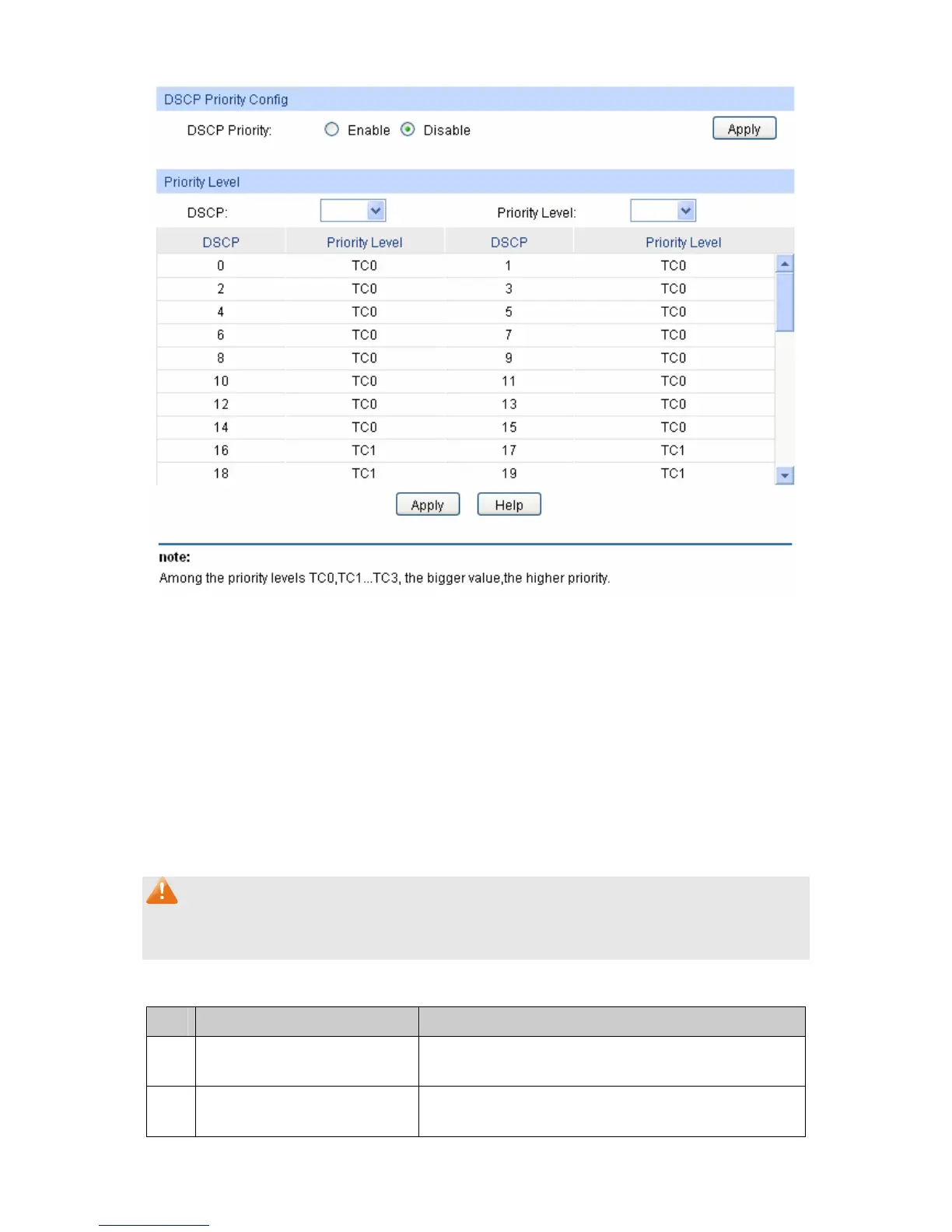
Figure 9-7 DSCP Priority
The following entries are displayed on this screen:
DSCP Priority Config
DSCP Priority: Select Enable or Disable DSCP Priority.
Priority Level
DSCP: Indicates the priority determined by the DS region of IP datagram.
It ranges from 0 to 63.
Priority Level: Indicates the priority level the packets with tag are mapped to. The
priority levels are labeled as TC0, TC1, TC2 and TC3.
Note:
To complete QoS function configuration, you have to go to the Schedule Mode page to select a
schedule mode after the configuration is finished on this page.
Configuration Procedure:
Step Operation Description
1 Log on to the DSCP Priority
page
2 Enable DP priority function Required. By default, the DSCP priority function is
disabled.
11
5











 To Next Page