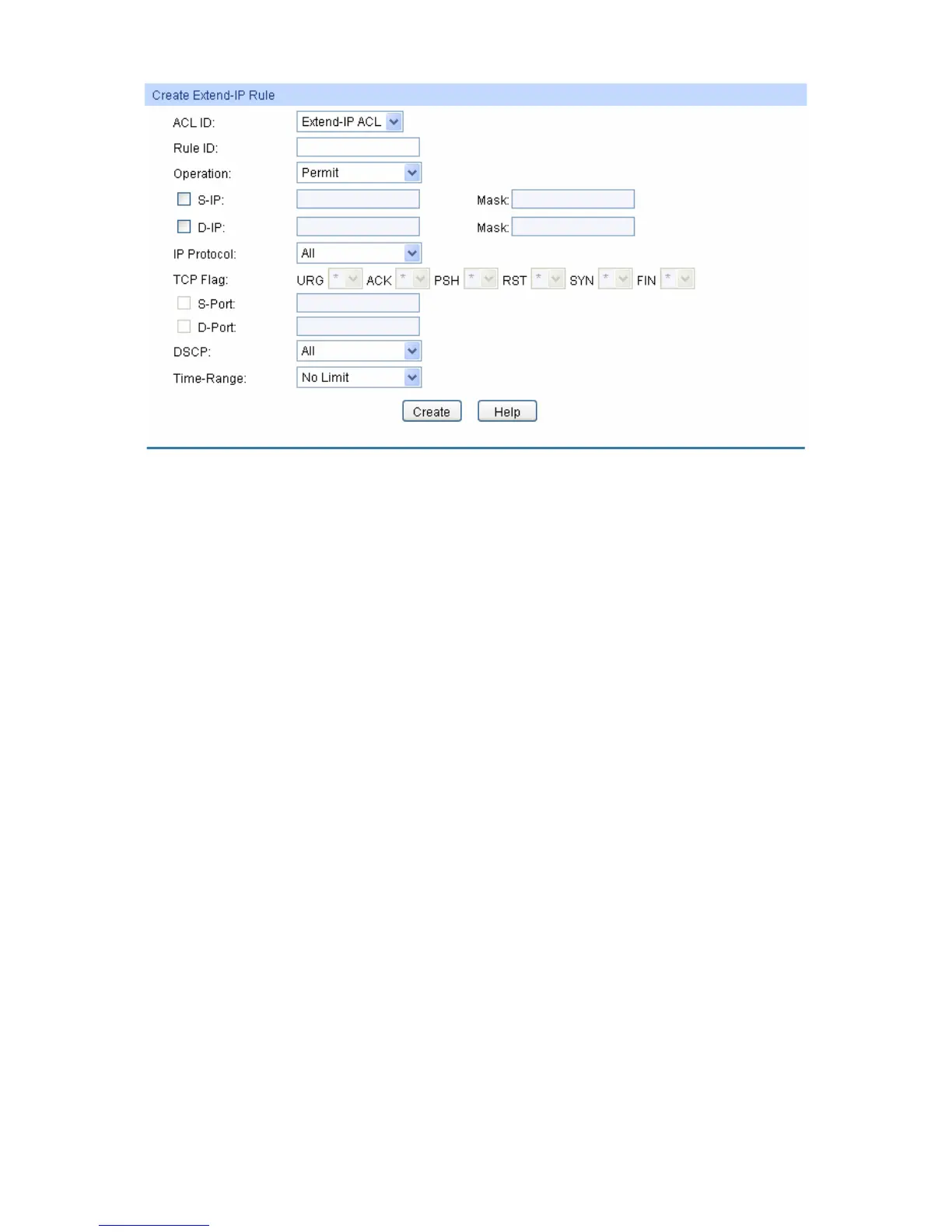
Figure 10-8 Create Extend-IP Rule
The following entries are displayed on this screen:
Create Extend-IP ACL
ACL ID: Select the desired Extend-IP ACL for configuration.
Rule ID: Enter the rule ID.
Operation: Select the operation for the switch to process packets which match the
rules.
Permit: Forward packets.
Deny: Discard Packets.
S-IP: Enter the source IP address contained in the rule.
D-IP: Enter the destination IP address contained in the rule.
Mask: Enter IP address mask. If it is set to 1, it must strictly match the
address.
IP Protocol: Select IP protocol contained in the rule.
TCP Flag:
Configure TCP flag when TCP is selected from the pull-down list of IP
Protocol.
S-Port: Configure TCP/IP source port contained in the rule when TCP/UDP is
selected from the pull-down list of IP Protocol.
D-Port: Configure TCP/IP destination port contained in the rule when
TCP/UDP is selected from the pull-down list of IP Protocol.
DSCP: Enter the DSCP information contained in the rule.
Time-Range: Select the time-range for the rule to take effect.
133











 To Next Page