AC750 Wireless Travel Router
- 132 -
6.5 Wireless 2.4GHz/5GHz
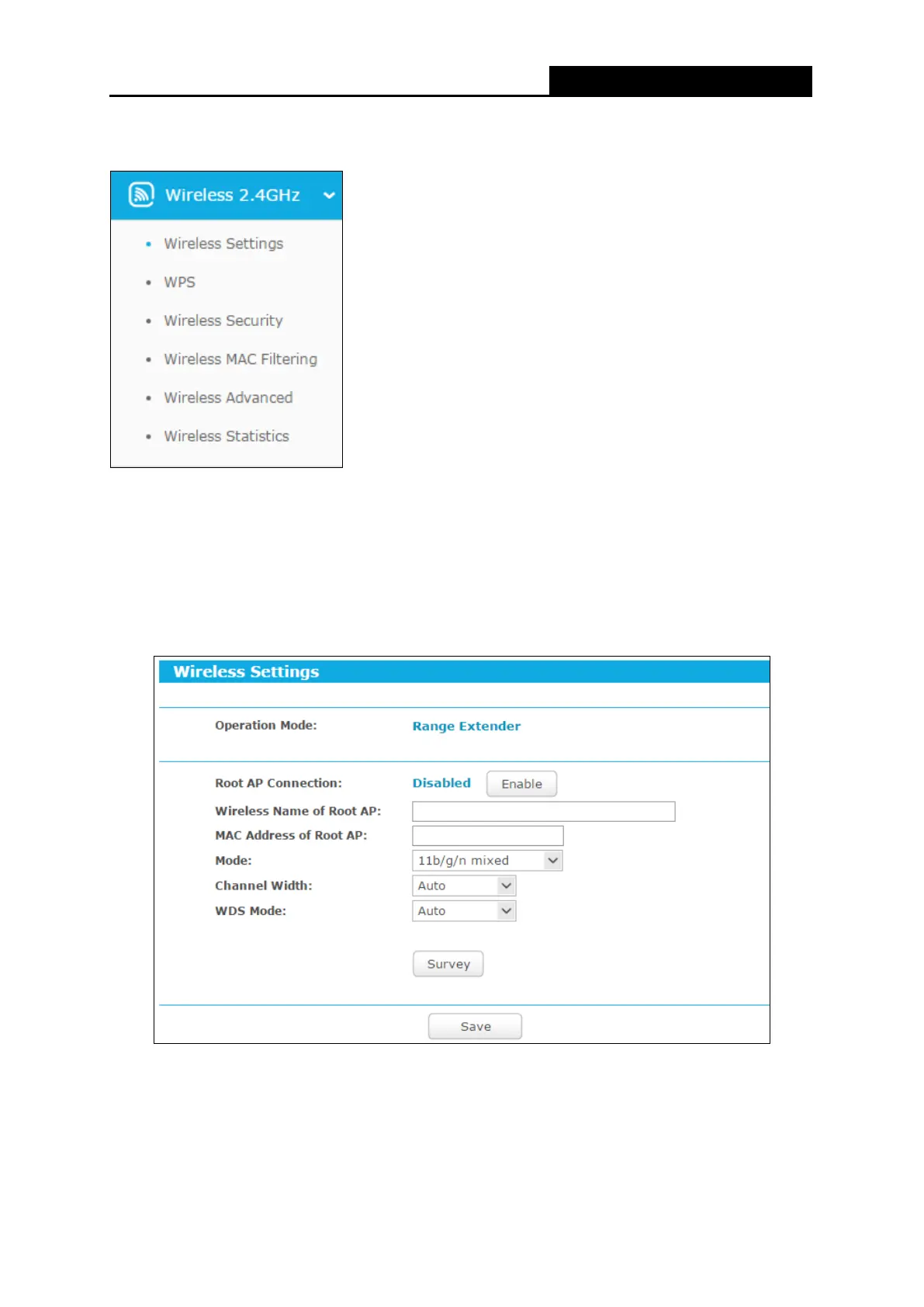
There are six submenus under the Wireless menu: Wireless Settings, Wireless Security, MAC
Filtering, Wireless Advanced and Wireless Statistics. Click it, and you will be able to configure
the corresponding function.
6.5.1 Wireless Settings
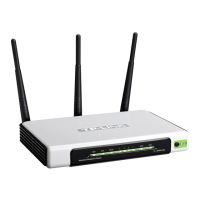
Choose menu “Wireless
Wireless Settings”, and then you can configure the basic settings
for the wireless network on this page.
Wireless Name of Root AP - The SSID of AP that you want to access.
MAC Address of Root AP - The MAC address of AP that you want to access.
Mode - Select the desired mode. The default setting is 11bgn mixed.
11n only - Select if you are using only 802.11n wireless clients.


 To Next Page