AC750 Wireless Travel Router
- 156 -
1. The operating distance or range of your wireless connection varies significantly based on the
physical placement of the Router. For best results, place your Router.
Near the center of the area in which your wireless stations will operate.
In an elevated location such as a high shelf.
Away from the potential sources of interference, such as PCs, microwaves, and cordless
phones.
Away from large metal surfaces.
2. Failure to follow these guidelines can result in significant performance degradation or inability
to wirelessly connect to the Router.
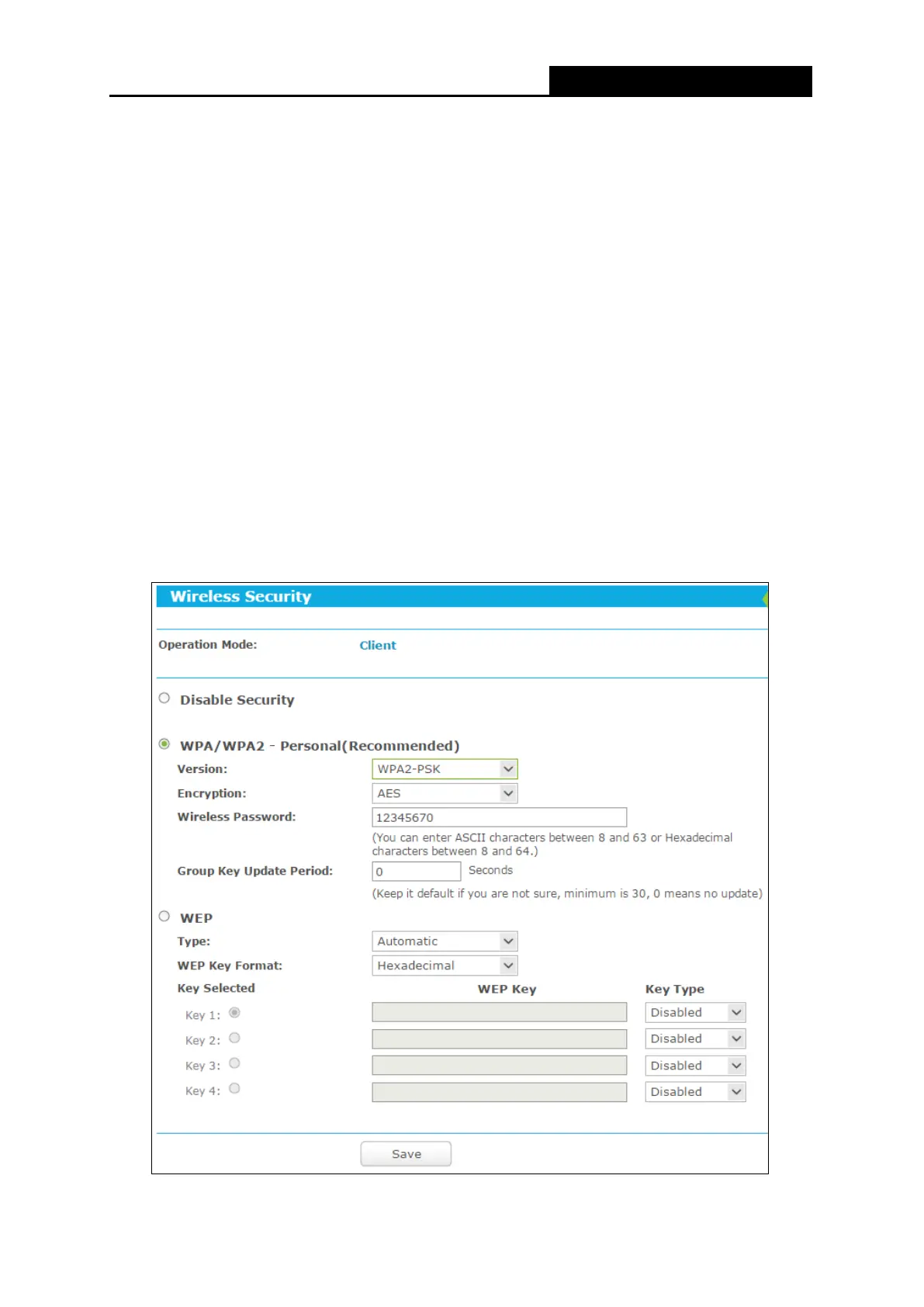
7.5.2 Wireless Security
Choose menu “Wireless
Wireless Security”, and then you can configure the security
settings of your wireless network.
There are three wireless security modes supported by the Router: WPA/WPA2-Personal,
WPA/WPA2-Enterprise and WEP (Wired Equivalent Privacy).


 To Next Page