Wire Your Switch
Disconnect wires from the old switch.
Turn o the circuit breaker. Then
remove the old wallplate of the wall
switch and label the wires.
1
2
Ground: Usually green or copper.
Neutral: Usually white, not connected to the dumb switch.
Line/Load: Usually black, and connected to the dumb
switch.
Note: If you are unsure, consult a qualied electrician.
Line up the switch with the mounting
holes. Secure it with screws.
4
Attach the wallplate and turn on the
circuit breaker. Then the wiring is nished.
5
Connect the wires to the smart switch as
shown below.
Note: No need to distinguish between Line and Load wires.
3
©2023 TP-Link 7106510106 REV1.1.1
Smart Wi-Fi Light Switch
Quick Start Guide
*Images may dier from your actual product.

 Need help?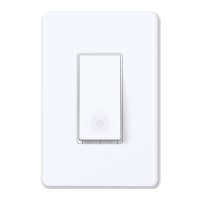

 To Next Page
 General