Notes:Appendix K: Battery Replacement
When the battery in your analyzer will no longer charge, no longer hold a
charge, or if beeping is heard while charging this is usually an indication the
battery pack requires replacement.
For best results use a TPI replacement battery part number A007. The battery in
your analyzer is 3.6V NiMH 1600mAh rated. Never replace the battery with any
other type of battery or damage to the charge circuit will result.
The battery pack is replaced as follows:
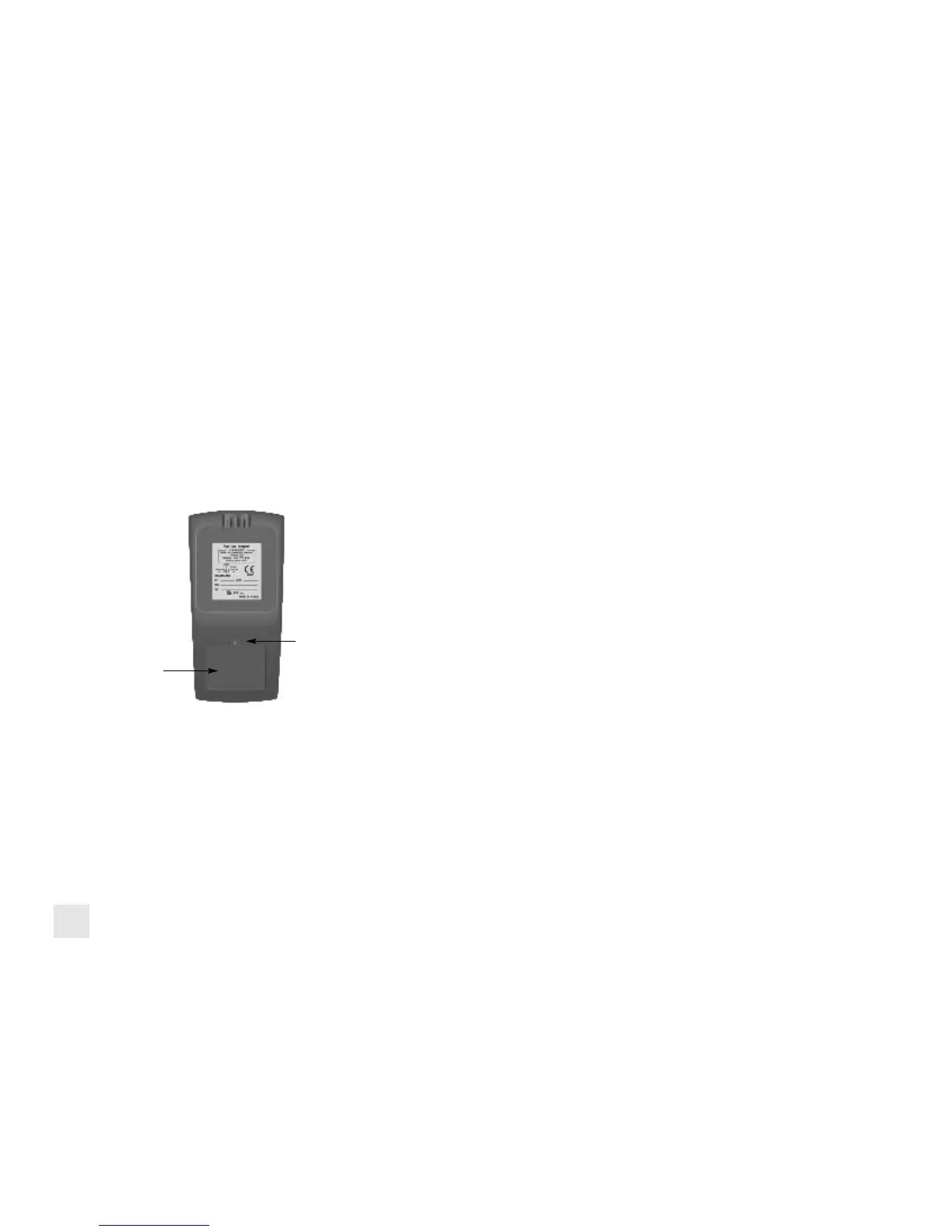
1. Turn the analyzer over and locate the phillips head battery cover screw. See
picture below.
2. Loosen the screw. Pull out on the screw to remove the battery cover.
3. Remove the old battery pack from the battery compartment. Pull the battery
wire out of the connector.
4. Install the new battery pack by inserting the connector from the battery pack
into the connector on the analyzer. Install the battery pack into the battery com-
partment.
4. Re-install the battery cover by fitting the bottom part in first.
5. Tighten the battery cover screw.
Battery Cover
Battery Cover Screw
52


 To Next Page