- 3 -
1 Product Overview
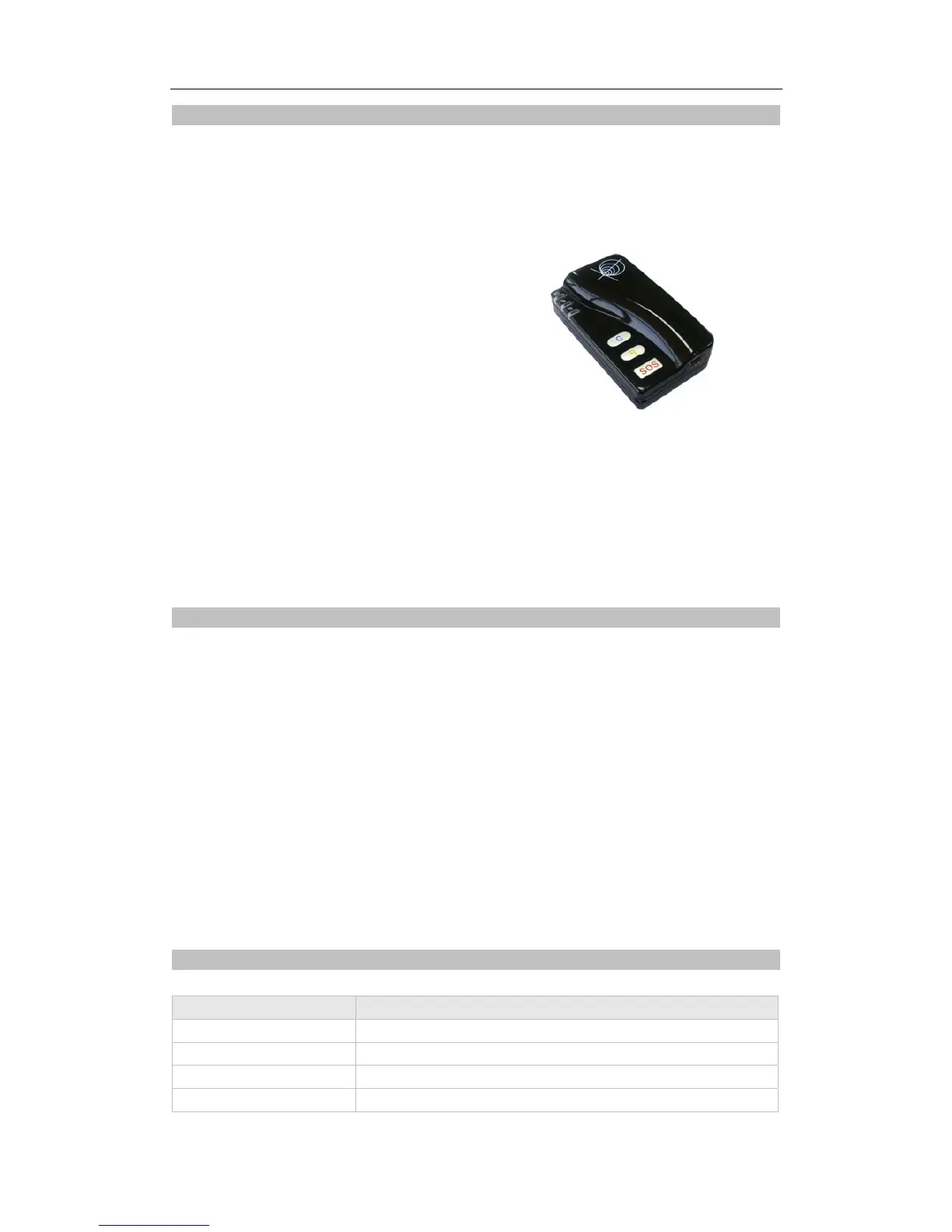
GT60 provides an easy way to track your targets and provides peace of mind by showing you with your
mobile phone or PC the location of your targets via SMS or GPRS.
GT60 has the following features:
Tracking via SMS or GPRS (TCP/UDP)
Current location report
Tracking by time interval
Two-way conversation
Voice monitoring (wiretapping)
SOS alert
Geo-fencing control
Low battery alert
Speeding alert
Alert when GT60 enters/exits GPS blind area
Alert when GT60 is turned on.
Motion sensor inbuilt for power saving
Three buttons for making phone call and/or sending message
Removable and rechargeable internal battery
Built-in speaker and microphone
2 For Your Safety
Read these simple guidelines. Not following them may be dangerous or illegal. Read the full user manual
for more information.
Switch on Safely – Do not switch on GT60 when wireless phone use is prohibited or when it may cause
interference or danger.
Switch off in Hospitals – Follow any restrictions. Switch GT60 off near medical equipment.
Switch off in Aircraft – Follow any restrictions. Wireless devices can cause interference in aircraft.
Switch off when refueling – Do not use GT60 when at a refueling point. Do not use near fuels or
chemicals.
Switch off near blasting – Follow any restrictions. Do not use GT60 when blasting is in progress.
Qualified Service – Only qualified personnel can repair GT60.
Water Resistance – GT60 is not water resistant. Keep it dry. Use waterproof bag if necessary.
3 GT60 Parameters
Item Specification
Charging Voltage DC 4.2-5.5V/400mA (Mini USB port)
Internal Battery Rechargeable and removable 950 mAh battery (3.7V)
Dimension
78 mm × 45 mm × 21 mm (14mm)
Weight
75g
Track Systems Ltd


 To Next Page