- 6 -
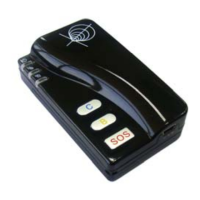
Press the power button for 3-5 seconds to activate GT60. It will then enter standby mode.
It is suggested that you be in an outer place where it can receive better GPS
When you turn on the device,
Check that the Red LED (power) on GT60 is flashing (on for 1 second and off for 2 seconds).
Check that the Green LED (GSM) is flashing (on for 0.1 second and off for 2.9 seconds).
5 SMS Command
GT60 will only accept commands from a user with the correct password. Commands with wrong
password are ignored. The default password is 000000.
5.1 Basic SMS Commands
5.1.1 Return the location of the tracker
Description: To know the location of your GT60, send an SMS or make a telephone call directly to GT60
and it will report its location by SMS.
Command: W<password>,<000>
Notes: The default password is 000000.
Example:
SMS sent: W000000,000
SMS received: 22 32 36.63N Longitude = 114 04 57.37E, Speed = 2.6854Km/h, 2008-12-24,01:50
To get GT60’s location by another easier way:
(a) CallGT60 using your mobile phone.
(b) After listening to the ring for 10 - 20 seconds, hang up the phone.
(c) Then, in about 15 seconds, your mobile phone will receive an SMS with longitude and latitude.
5.1.2 Set Interval for automatic timed report
Description: Automatic timed reports will be sent to your mobile phone according to the time interval you
set.
Command: W<password>,002,XXX
Notes: XXX is the interval in minute. If XXX=000 it will stop tracking
Example:
SMS sent: W000000,002,005
SMS received: Set Time Ok/005
Meaning: GT60 will report its location by SMS every 5 minutes.
5.1.3 Stop automatic timed report
Description: Automatic timed reports will stop once GT60 receives stop command.
Command: W<password>,002,000
Example:
SMS sent: W000000,002,000
SMS received: Set Timer Ok/000
Meaning: GT60 will stop automatic timed report.
Track Systems Ltd


 To Next Page