- 8 -
Command: W<password>,012,IP,PORT
Example: W000000,012,202.116.11.12,8000
GT60 will then reply with an SMS (‘Set IP Ok /202.116.11.12,8000’) to confirm this setting.
5.2.4 Set Time Interval for Sending GPRS Packet
Command: W<password>,014,time interval(in unit of 10 seconds)
Example: W000000,014,00003
GT60 will send a GPRS package every 30 seconds
5.2.5 Enable GPRS Tracking Function
Command: W<password>,013,X
X=0, to turn off GPRS tracking function(default);
X=1, to set TCP
X=2, to set UDP
Example: W00000,013,1
GT60 will reply with an SMS to confirm this setting.
For more information regarding of bulk configuration by USB cable please refer to < GPS Tracker
Parameter Editor>.
For more information regarding GPRS settings please refer to <GPRS Communication Protocol >.
If you are using GpsGate Software, please contact us for writing GpsGate protocol before
delivery.
6 Tracking on Map
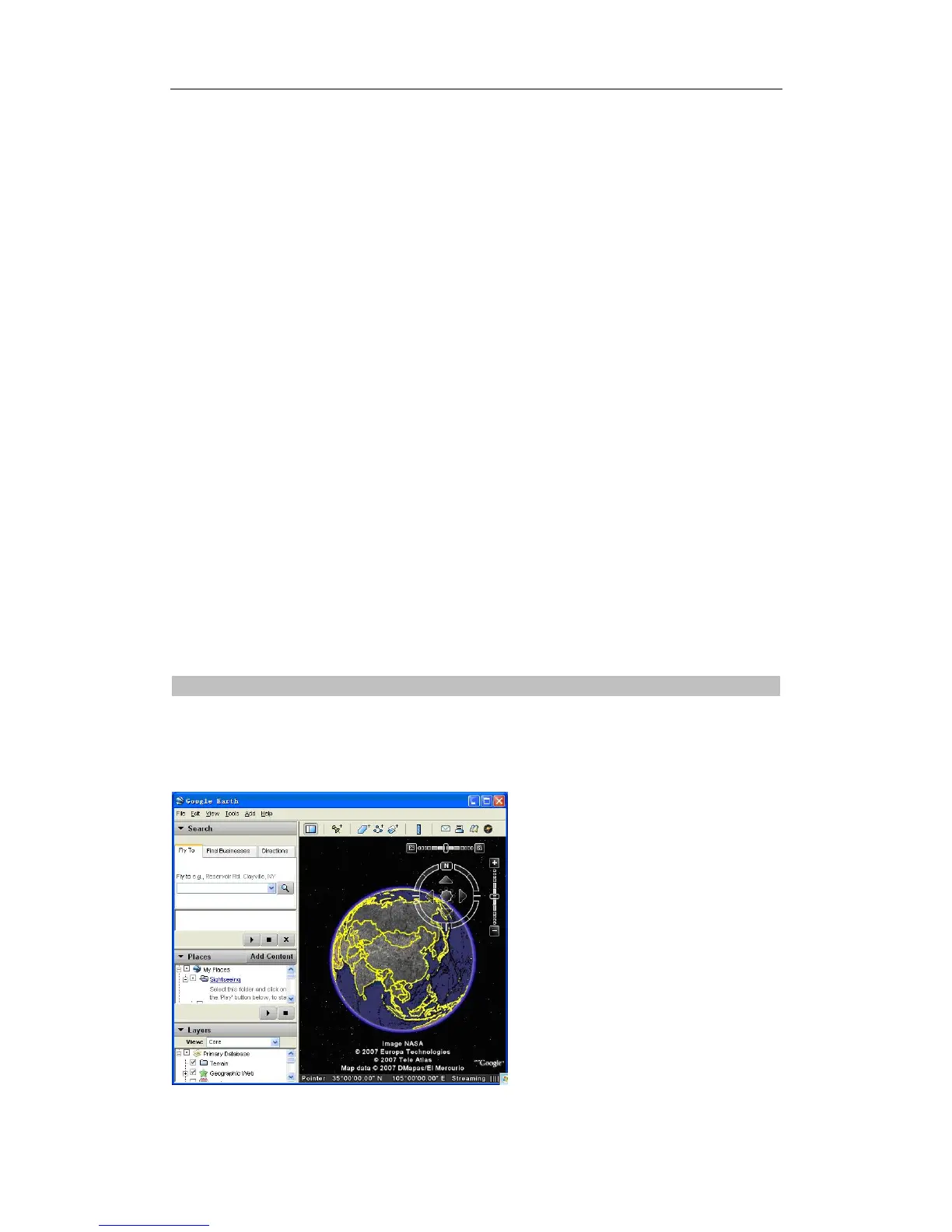
Download Google Earth from http://earth.google.com/
Start the Google Earth (For more information about Google Earth please refer to http://earth.google.com/)
as the following picture shows:
Input the latitude and longitude that you receive from the tracker by SMS and click the search button.
Track Systems Ltd


 To Next Page