- 7 -
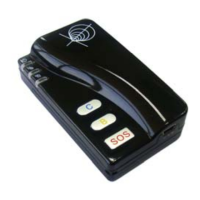
5.1.4 SOS/Call B/Call C
Description: To authorize a mobile phone number for the SOS, B or C button. When the button is pressed,
a message will be sent and/or simultaneously a call will be made to the authorized number.
Command: W<password>,003,F,P, <telephone number>
Notes:
(a) F =0, cancel this function
=1, only send SMS to the preset number
=2, only call the preset number
=3, send SMS and also Call the preset number
P =1, set a authorized number for SOS button
=2, set a authorized number for B button
=3, set a authorized number for C button
(b) When one of the buttons is pressed and a call is made, you can call and talk with the tracker-holder.
(c) Press B button to hang up the call or cancel a calling
Example:
SMS sent: W000000,003,3,1, 123456789
SMS received: Set Tel Ok/3,1, 123456789
Meaning: When the SOS button is pressed, GT60 will send an SMS to telephone number “123456789”
and also make a phone call to it.
When a call is coming in, the green light is on. Press SOS button to receive the incoming call and then
talk with the caller. To complete the conversation, hang up the call by pressing B button.
For more detailed SMS commands please go to Chapter 8 - SMS Command List
5.2 GPRS Settings by SMS
Tracking via GPRS, you should set IP, Port and APN for GT60.
Ensure that your SIM card in GT60 supports GPRS connection prior to setting.
5.2.1 Set ID for GT60
Command: W<password>,010,ID
Note: Tracker ID must not over 14 digits.
Example: W000000,010,123456789
GT60 will then reply with an SMS (‘Set SIM Ok/123456789’) to confirm this setting.
5.2.2 Set APN
Command: W<password>,011,APN,APN Name,APN Password
Note: If no APN name and password required, input APN only.
Example: W000000,011,CMNET
GT60 will reply with an SMS (like ‘Set APN Ok/CMNET’) to confirm this setting.
5.2.3 Set IP Address and Port
Track Systems Ltd


 To Next Page