- 9 -
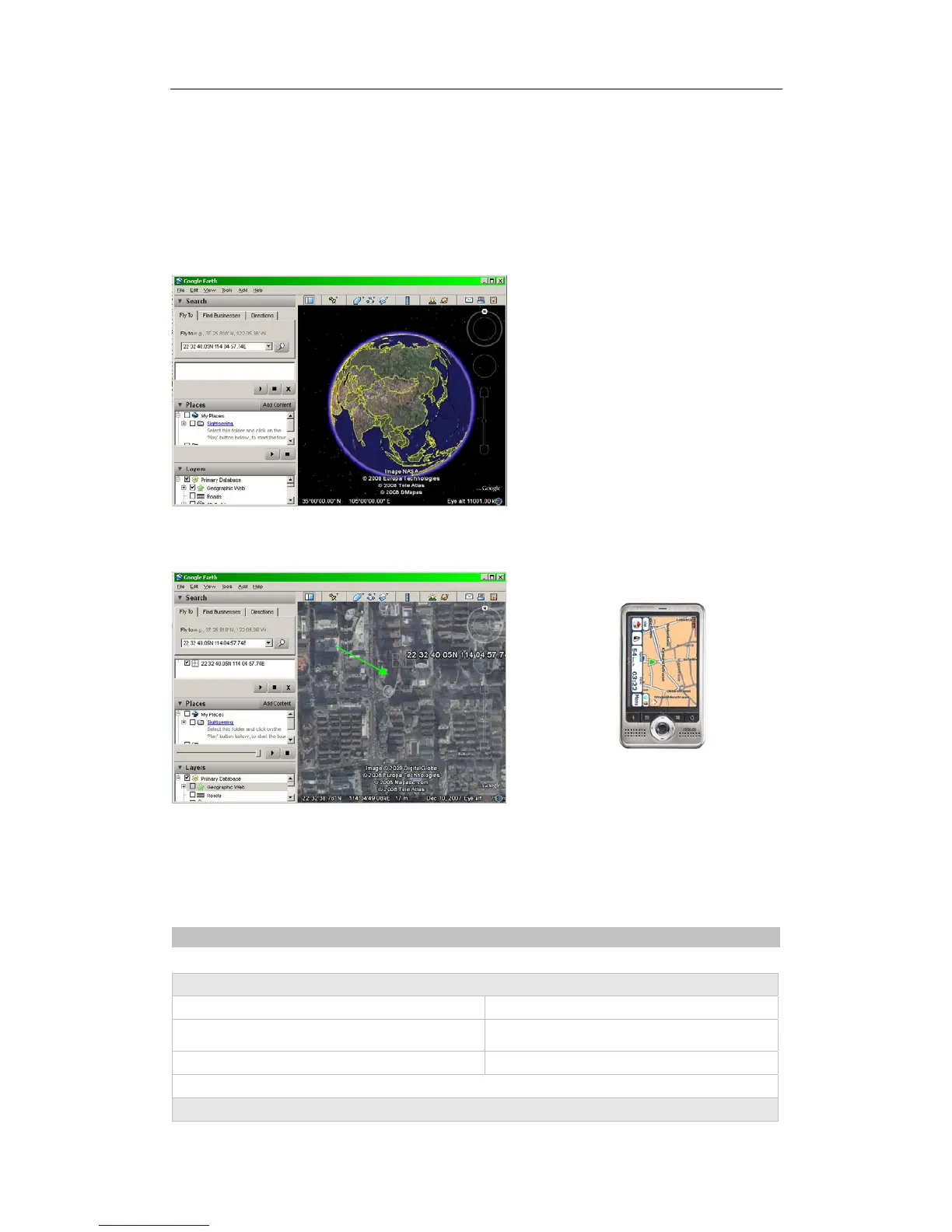
Google Earth will display the location for you.
Example:
When you receive:
Latitude = 22 32 40.05N
Longitude = 114 04 57.74E
Type as the following picture shows:
(Note: you should input the latitude and longitude as: 22 32 40.05N 114 04 57.74E)
Now you can find the location of your tracker:
Or you can start the Internet Explorer and connect to http://maps.google.com for displaying the location.
Or you can use local map software on PDA or car navigation device to input the coordinates.
7 Troubleshooting
Problem: Unit will not turn on
Possible Cause: Resolution:
The power button is not pressed long enough Press and hold the button for 3-5 seconds.
Battery needs charging Recharge battery for 3 hours
Problem: Unit will not reply with SMS
Track Systems Ltd


 To Next Page