18
FEATURES AND CONTROLS
STEERING WHEEL
The steering wheel allows the driver to control the direction of travel.
BRAKEPEDALS
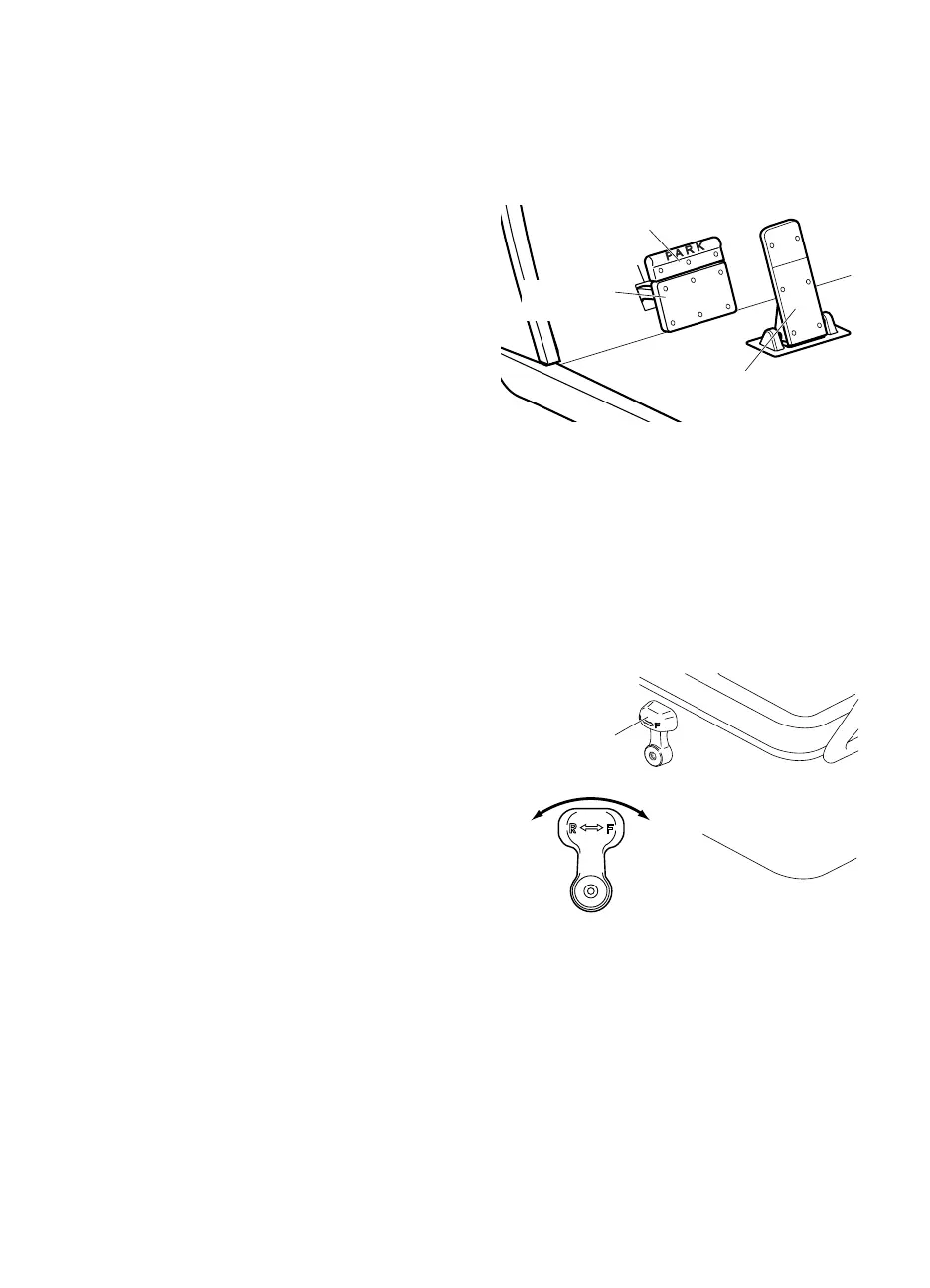
The brake pedal on vehicles with mechanical brakes is a combination brake and parking brake pedal.
Brake Pedal
The brake pedal is the bottom left pedal on the floorboard.
Press the brake pedal to slow the speed or bring the vehicle to a
complete stop.
ParkingBrake Pedal
The parking brake is the upper pedal. It allows the operator to
lock the brake when the vehicle is parked to prevent accidental
movement.
To engage the parking brake, press the upper pedal until it locks
into place.
Quickly press and release the lower pedal to disengage.
NOTICE: If the key switch is in the ON position and the parking brake is engaged, the brake will release when
you press the accelerator pedal and can cause the vehicle to move suddenly. This is a feature to
make sure the vehicle is not driven with the parking brake engaged. Pressing the accelerator pedal
is not the recommended method to release the parking brake.
ACCELERATOR PEDAL
The accelerator pedal is the right pedal on the floorboard. It activates the engine and controls the acceleration of the
vehicle.
Apply slow and steady pressure to the accelerator pedal to increase vehicle speed.
DIRECTION SELECTOR
The direction selector is on the seat panel and allows the opera-
tor to select F (forward) or R (reverse) to control the direction of
travel.
The direction selector has a reverse warning buzzer that acti-
vates when in the R position.
CHOKE
This vehicle is equipped with Electronic Fuel Injection and does
not require a choke.
Parking Brake Pedal
Accelerator Pedal
Mechanical
Brake Pedal
Forward
Reverse
Direction
Selector


 To Next Page