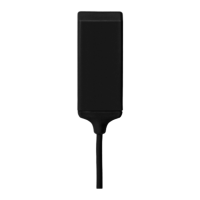
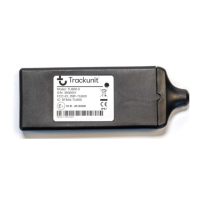
TU501-x
Short Guide TU501-x v4.2, May 2019, ©Trackunit 2019 10
Troubleshooting
Error description
Possible solutions
No reply on SMS command
• Verify correct GSM number
• Check LED status – see page 6
No light in LED
• Check if the red and blue wires are installed correctly or
if the fuse is blown
Constant red light
in LED
• Verify location of the unit – see page 3
• Move machine or vehicle for better GSM signal
No green light in LED
• Verify location of the unit – see page 3
• Move machine or vehicle for better GPS reception
Inputs counting operating
hours when machine is off
• Possibly due to the main breaker being on the negative wire (ground
wire from the machine battery). When off, the inputs may register a
voltage level and start counting operating hours.
• To avoid this situation, the digital input 4 (pink wire) should be
connected to the chassis/ground on the machine.
• See Input filtering (INFILT) section, page 8.
Technical Assistance
If you experience an issue and cannot find the information you need in the product documentation, please
contact Trackunit.
Trackunit support: +45 96 73 74 00
Email: support@trackunit.com
The guides can also be downloaded online: www.trackunit.com/downloads
NB! When contacting technical support, please have the unit serial number ready.



 To Next Page