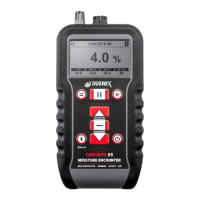
Concrete Encounter CME 4
User Guide
24/08/04
Instrument Features
Your Concrete Encounter CME 4 employs advanced analog
and digital technology to enable the incorporation of many
new features which greatly extend the capability of the
instrument.
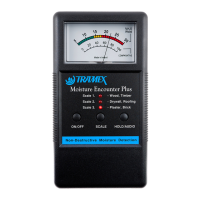
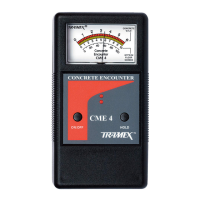
x Two simple push button controls, ON and HOLD.
x Concrete moisture readings, 0% to 6%, are displayed on
a clear easy to read moving coil meter with linear scale.
x Comparative or qualitative readings for gypsum and
other floor screeds are shown on a 0 to 10 scale.
x A reference scale of 0 to 100 is also provided.
x To conserve battery life, the instrument automatically
powers OFF after 4 minutes of inactivity.
x Power remains on if a change in meter reading is
detected or any button is pressed.
x An audio alert (bleep) will sound 10 seconds prior to the
meter automatically powering OFF.
x Two LED (light emitting diode) indicators.
i The lower LED illuminates when the ON button is
pressed and remains on until the CME 4 automatically
powers off.
i The upper LED flashes when HOLD is selected.
i If the battery is nearing the end of its useful life, both
LEDs flash sequentially for 3 seconds at each power
ON to indicate that the battery should be replaced.
x HOLD button freezes needle on moving coil meter, to
facilitate ease of recording readings.
x If HOLD was selected prior to the CME 4 automatically
powering off, the frozen meter reading is digitally
memorized and restored next time ON is selected.
4
CME4/1005


 To Next Page