54
4T-V8-SF-1M-EN
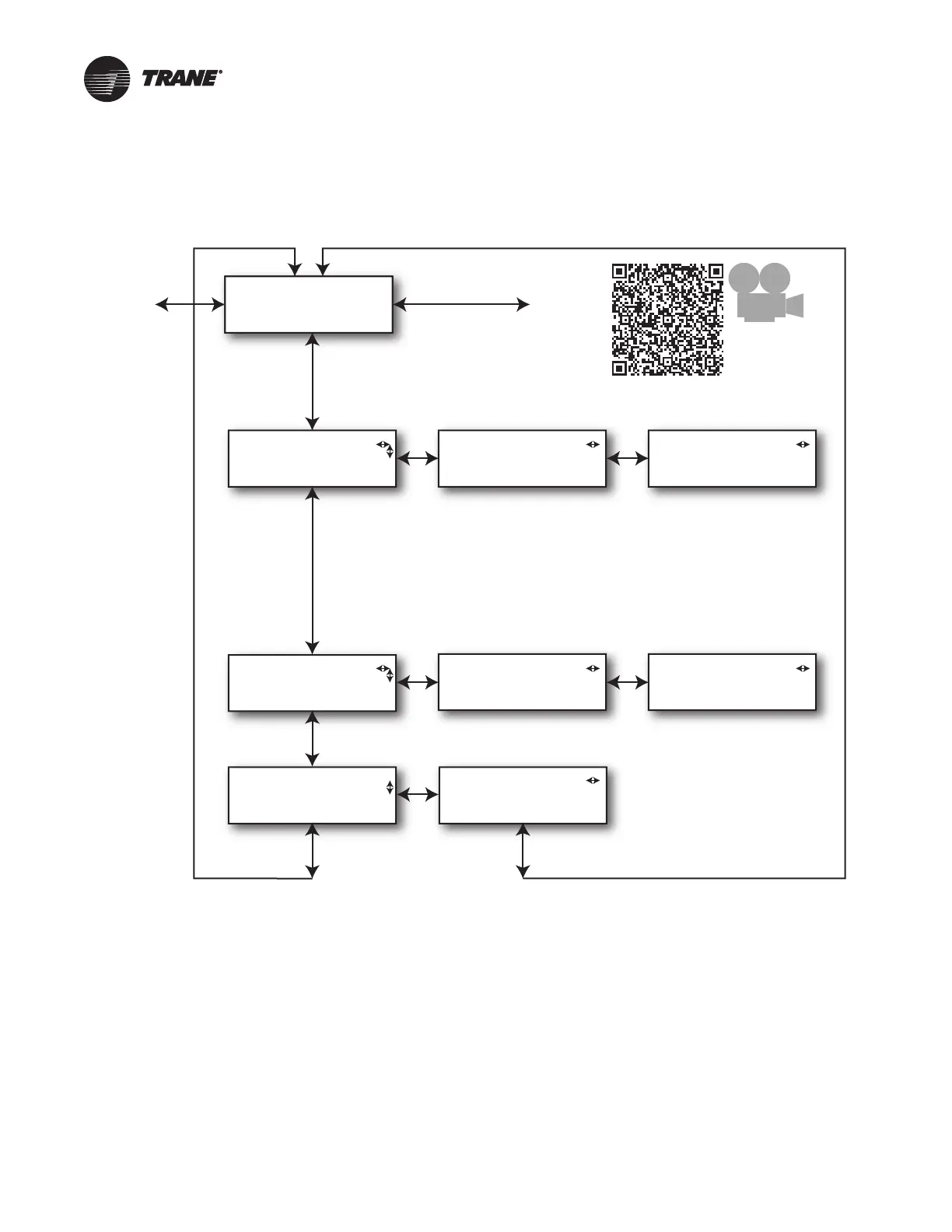
Technician Alert History Menu
NNoottee:: Clearing Alert History will also clear Active Alerts
and will reset the Outdoor Control without the
need to cycle power.
Scan to see a
video
about the
CDA Alert Menu
ALERT HISTORY
ALERT 1
<Alert short Text>
ALERT #
<Alert short Text>
ALERT #
<time since occurrence>
CLEAR ALERTS
PRESS ENTER <Enter>
ARE YOU SURE?
PRESS ENTER <Enter>
ALERT 1
XXX Count
ALERT #
XXX Count
ACTIVE
ALERTS
CONFIG
MENU
ALERT 1
<time since occurrence>
Note: When alert history is cleared, active alerts
will be reset.
Resetting alerts will clear outdoor hard lockout
conditions without the need to cycle power.
Note: Display NONE on line 2 if there are no alerts.


 To Next Page