EasyManua.ls Logo

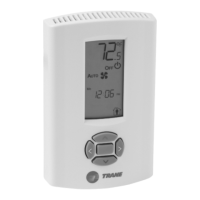
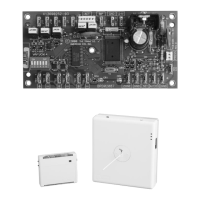
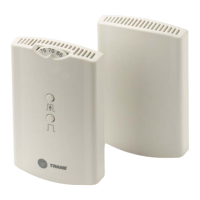
Trane Air-Fi WCS-SD - User Manual

Trane Air-Fi WCS-SD
112 pages
Print Icon
To Next Page IconTo Next Page
Loading...
SAFETY WARNING
Only qualified personnel should install and service the equipment. The installation, starting up, and servicing of heating, ventilating, and air-conditioning equipment
can be hazardous and requires specific knowledge and training. Improperly installed, adjusted or altered equipment by an unqualified person could result in death or
serious injury. When working on the equipment, observe all precautions in the literature and on the tags, stickers, and labels that are attached to the equipment.
July 2022
BAS-SVX40K-EN
Installation, Operation, and Maintenance
Air-Fi® Wireless System

Table of Contents

Questions and Answers

  • L
    lmyersAug 23, 2025
    Why Tracer SC+ does not communicate with Trane Air-Fi WCS-SD Accessories WCI?
    • P
      psmithAug 23, 2025
      If your Tracer SC+ is not communicating with the Trane Accessories WCI, here are some things to check: * **Power to WCI:** First, make sure the WCI is correctly wired to the Tracer SC+. * **Wireless Link:** Ensure the wireless link on the Tracer SC+ is enabled, configured to match the WCI address, and that the address is unique within the building. * **Radio Range:** Confirm that all devices are within radio range. If not, move them closer or consider breaking up the network into smaller segments. Adding a repeater can also extend the radio range.
  • M
    Matthew HopkinsNov 7, 2025
    What to do if Trane Air-Fi WCS-SD Accessories WCI does not join network?
    • M
      Mark DavisNov 8, 2025
      If your Trane Accessories WCI fails to join the network, consider these potential causes and solutions: * **Network closed/Insufficient time:** Allow the WCI more time to connect. If the network closes prematurely, reopen it using the 'OPEN NET' button on another WCI. * **Incorrect address:** Verify the WCI address, especially for factory-addressed units. Check for error codes at the sensor if one is installed. Initiate network formation and resolve any exceptions. * **Power issues:** Ensure the WCI and the corresponding controller are correctly wired and powered on. * **Excessive traffic:** Try a different channel using a different net address or Tracer TU. You might need to experiment or use a tool like WiSpy to find a better channel. * **Range/Obstacles:** Relocate the WCI or...

Summary

Introduction

Safety Advisories and Precautions

Defines safety advisories, wiring precautions, PPE, and EHS policies for safe operation.

WCI Installation Procedures

Addressing, Mounting, and Wiring

Procedures for WCI addressing, mounting, and wiring to controllers and repeaters.

WCS Sensor Installation and Configuration

WCS-SB;SD Installation

Steps for powering, addressing, and associating WCS-SB/SD sensors.

WCS-SO;SCO2 and -SB;R Installation

Steps for powering, addressing, and associating WCS-SO/SCO2/SB/R sensors.

WCS-SB;SD Sensor Configuration

How to configure WCS-SB/SD features, including optional settings.

Establishing and Managing Air-Fi Networks

Troubleshooting and Maintenance

Using the Tracer TU Service Tool

Advanced Air-Fi Network Operations

Trane Air-Fi WCS-SD Specifications

General IconGeneral
BrandTrane
ModelAir-Fi WCS-SD
CategoryAccessories
LanguageEnglish

Related product manuals