16 1515
Flashing Printer Firmware
Enter printer Boot Load mode:
1. Un-rack and open the printer’s top cover as shown on
page 8
2. Hold the FEED button while applying power to the printer
3. VerifystatusLEDpanel-READY>Flashing&Fault>ON
Note: The printer will reset and print a test ticket when down-
load completes if you rack-in, close top cover with tickets
loaded.
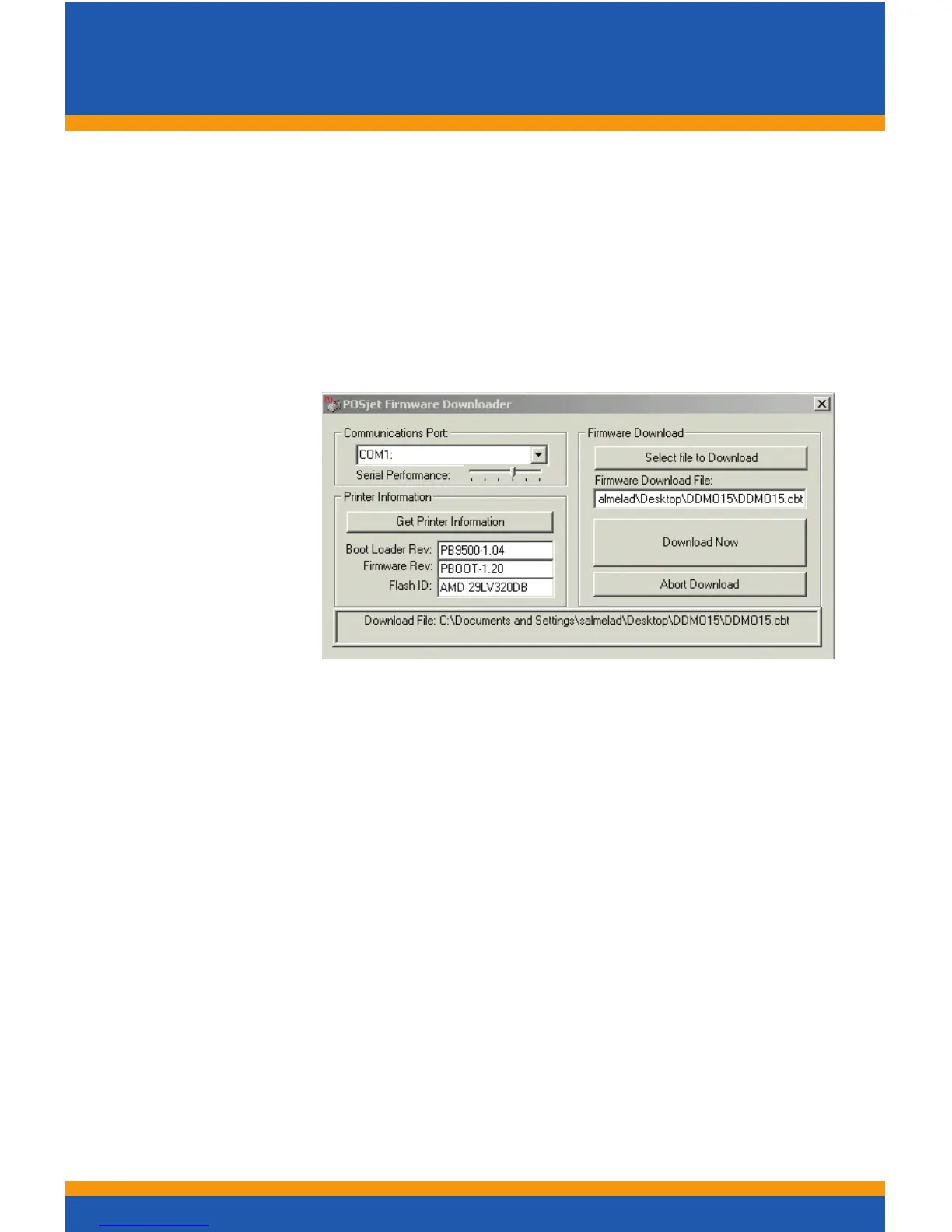
The Single
Download utility
Download.exe is
available on the
CD included with
the Download Kit
or from the FTP
site (see page #2
for details)
Utilityone-timesetup:
1. Select the assigned COMM Port number from the pull down
2. Right click on the utility’s title bar and check-mark
XON/XOFF
3. Slide the “Serial Performance” slider to 115,200 bps
Flashingprinterrmware:
1. Click “Get Printer Info” button. The boxes below the button
shouldpopulate.Alsoveriesbidirectionalcommunication
2. Click“SelectletoDownload”buttonandchoosearmware
3. Click “Download Now” button to begin downloading
4. Wait until 100% Flash Update DONE is displayed
Caution:watchtheLEDsontheprinter...whenthermware
download operation is completed only the READY LED will be
ashingashortblinkonceeverysecond
5. Close the cover and chassis and power cycle the printer



 To Next Page