Safely Removing Your T.sonic
Before removing your T.sonic, please make sure the OLED Display is not in the
READ/WRITE status or unpredictable damage to the files or your T.sonic may
occur.
Removing the T.sonic in Windows
98SE
Unplug your T.sonic from your system directly when data is not transferring.
Removing the T.sonic in Windows
Me, 2000, and XP
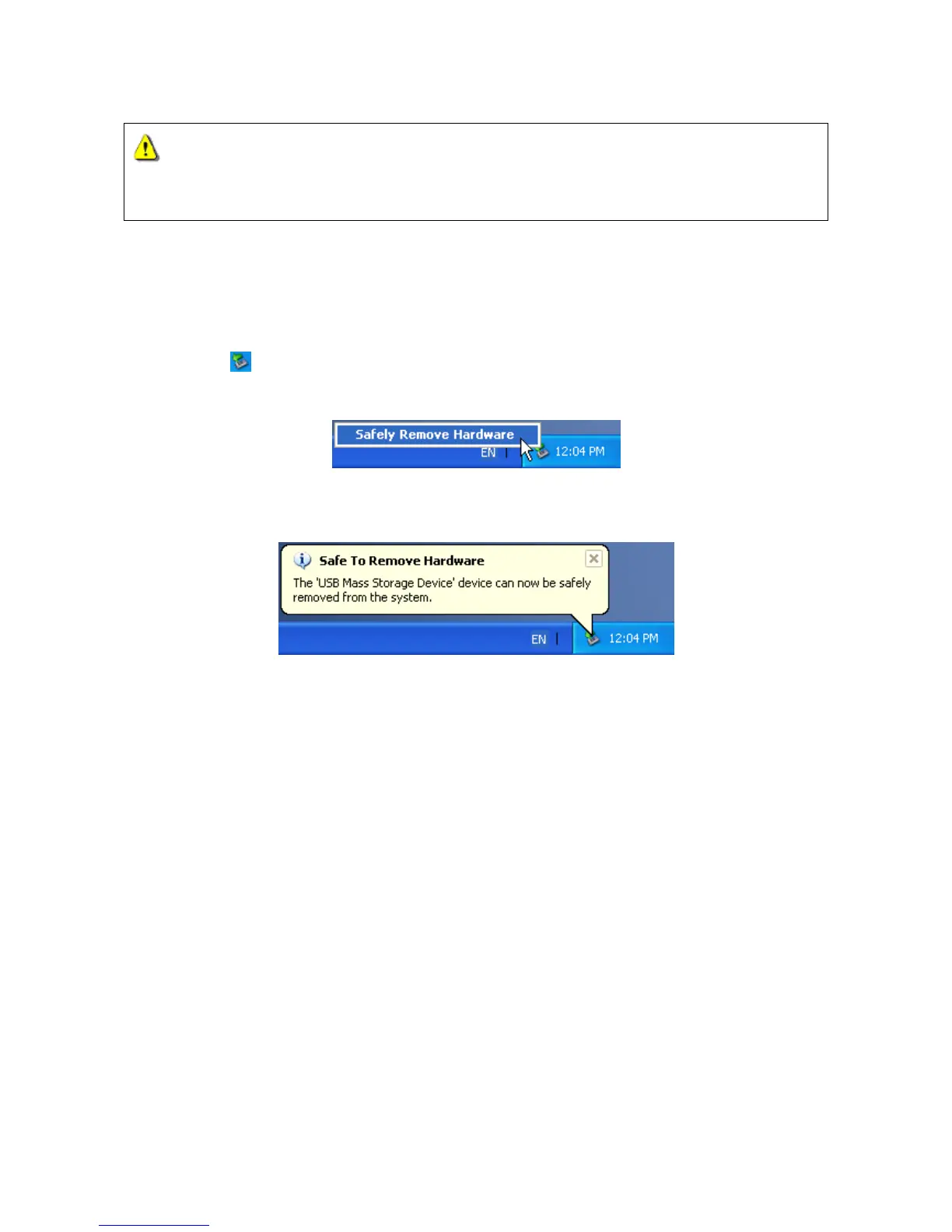
1. Select the icon on the system tray.
2. The Safely remove Hardware pop-up menu will appear. Select it to continue.
3. A message box will appear: The ‘USB Mass Storage Device’ device can now be safely
removed from the system.
Removing the T.sonic in Mac OS
Drag and drop the Disk icon corresponding to your T.sonic into the trashcan. Then unplug your
T.sonic from the USB port.
Removing the T.sonic in Linux
Execute umount /mnt/ T.sonic to un-mount the device.
26















 To Next Page