Recovering the T.sonic in Windows
Me, 2000, and XP
You may skip steps 1-3 if the Recovery program has already been installed.
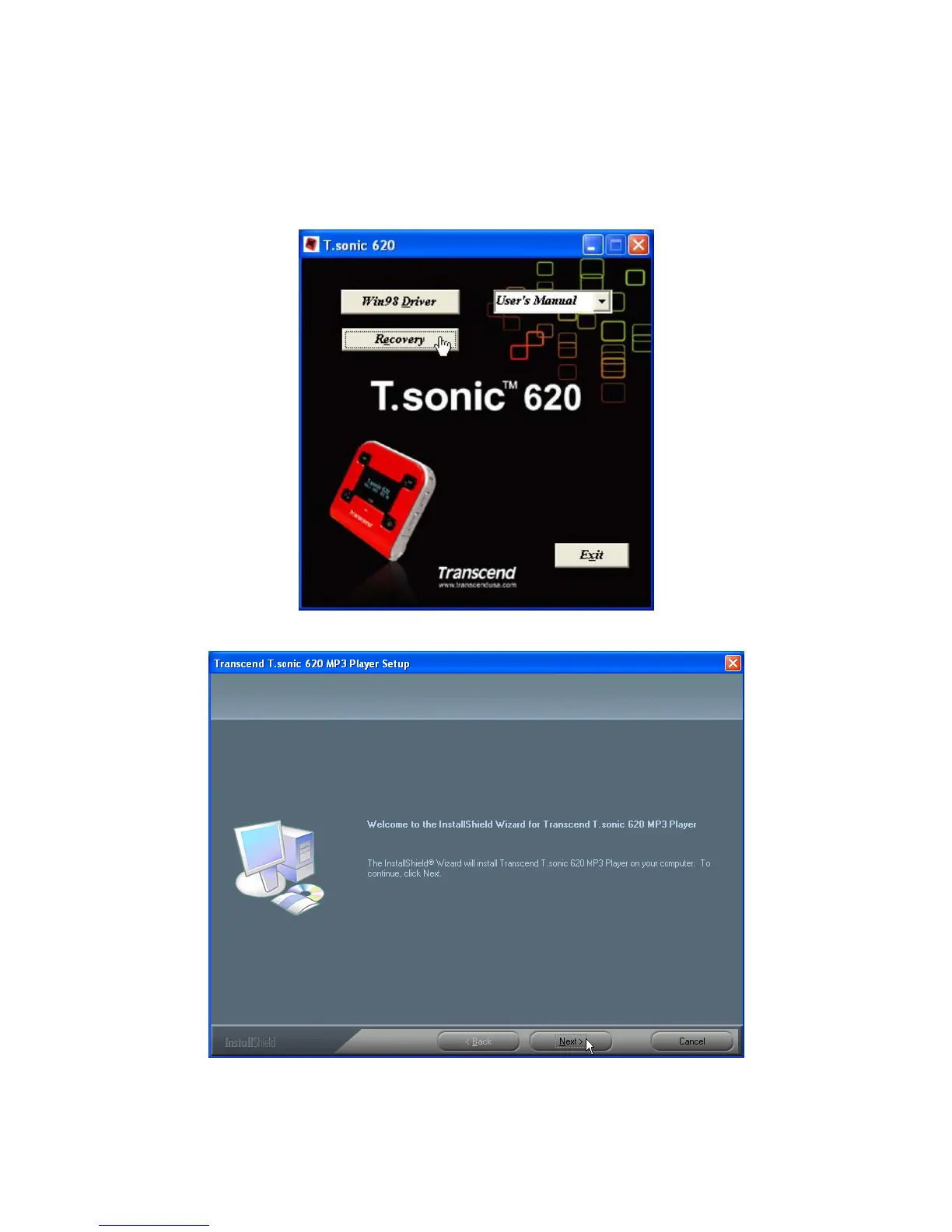
1. Put the Driver CD into the CD-ROM (Auto-Run supported) and then select the Recovery
button on the T.sonic splash screen.
2. Select Next to continue.
3. The InstallShield Wizard will guide you through the installation process.
4. Remove the battery from your T.sonic and plug it into an available USB port.
29















 To Next Page