6-1-2 Import Files and Review Snapshots (A)
When connecting the DrivePro to a Windows computer, the DrivePro Toolbox will automatically ask users
whether to import the videos in the DrivePro.
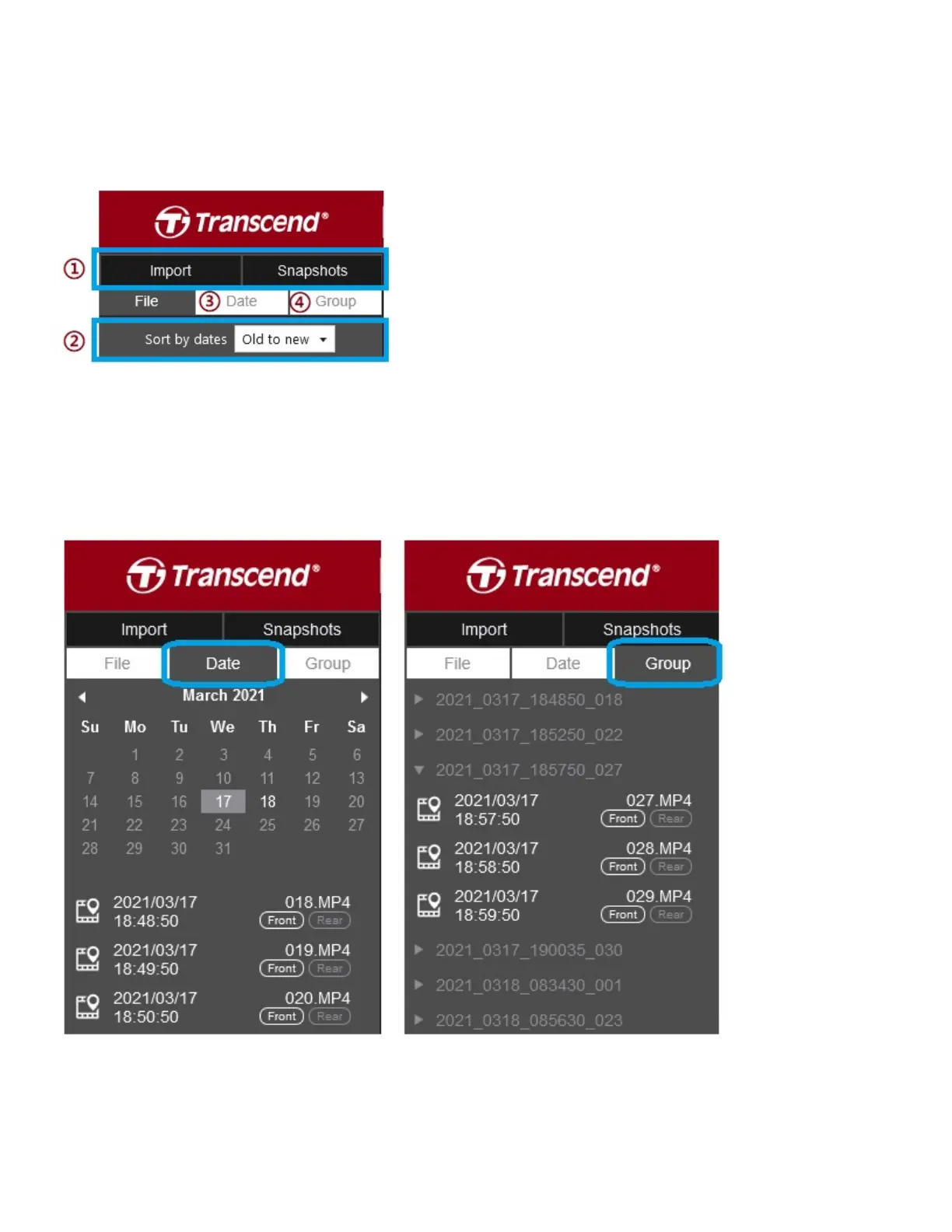
① Tap **Import** to select the video files you wish to import;
Tap **Snapshots** to open snapshot files.
② Sort videos by recording dates, either from old to new or
new to old.
③ Select **Date** to broadcast the videos recorded on a
specific day.
④ Select **Group**, the videos will be grouped by recording
date.















 To Next Page