Transcend Digital Music Player Utility Software︱
Please read the following instructions before using the Transcend Digital Music Player Utility program.
The Transcend Digital Music Player Utility has four functions:
PC-Lock (Use the MP320 to temporarily lock your computer)
Partition (Divide your MP320‟s memory into Public and Private areas)
Login/out (Log in to the Private area to access your personal files)
Password (Change the password to the Private area on your MP320)
The Transcend Digital Music Player Utility is only supported in Windows
®
Me, 2000, XP and
Vista
The Transcend Digital Music Player Utility is not supported on Mac™, or Linux™ Operating
Systems.
To use the Transcend Digital Music Player Utility, you must log in to the Windows® OS with
Administrator rights.
Installing the Transcend Digital Music Player Utility Program
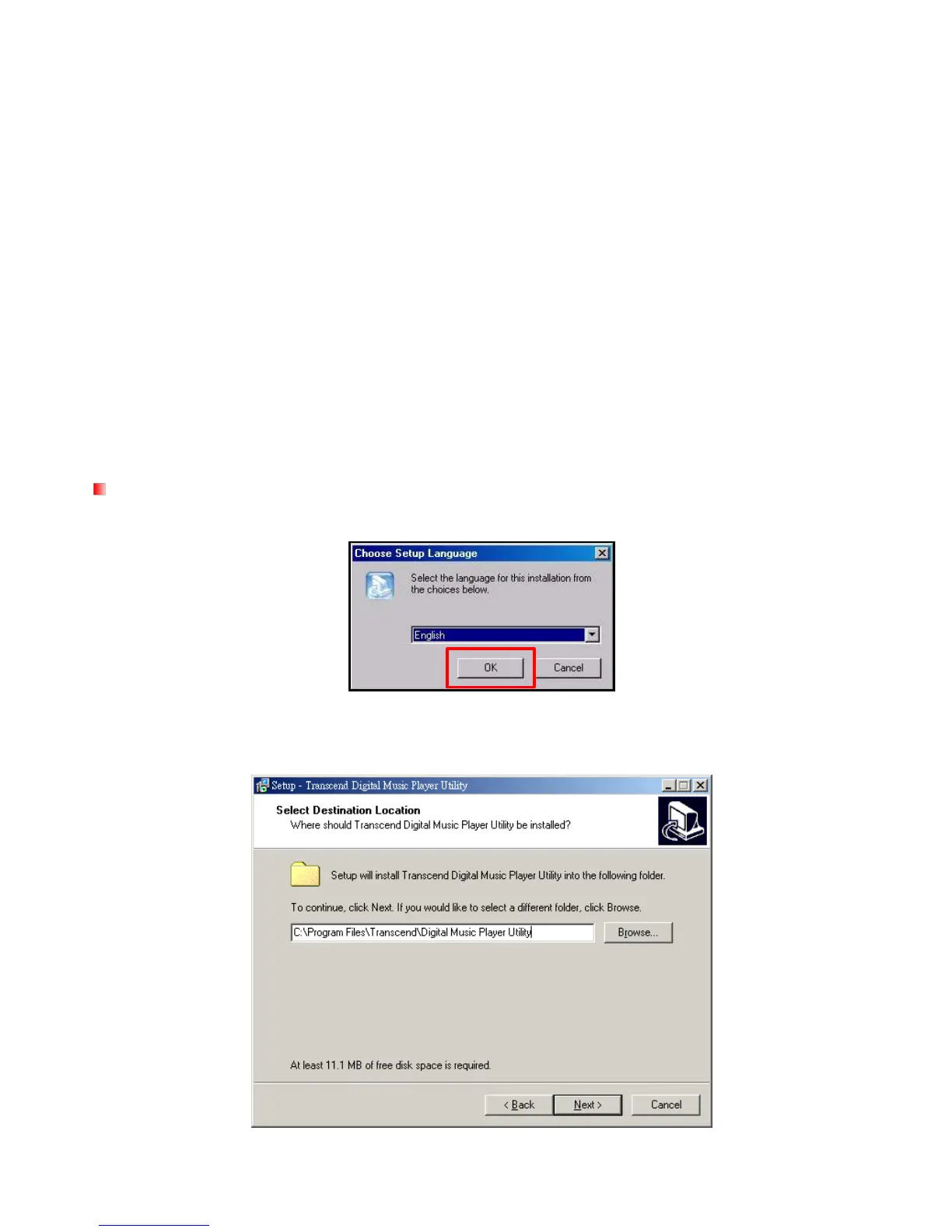
1. Choose your setup language and click the “OK” button to continue.
Figure 10. Choose a language
2. The “InstallShield Wizard” window will appear. Click the “Next” button to continue. The InstallShield
Wizard will guide you through the installation process.
Figure 11. Transcend Digital Music Player Utility InstallShield Wizard



 To Next Page