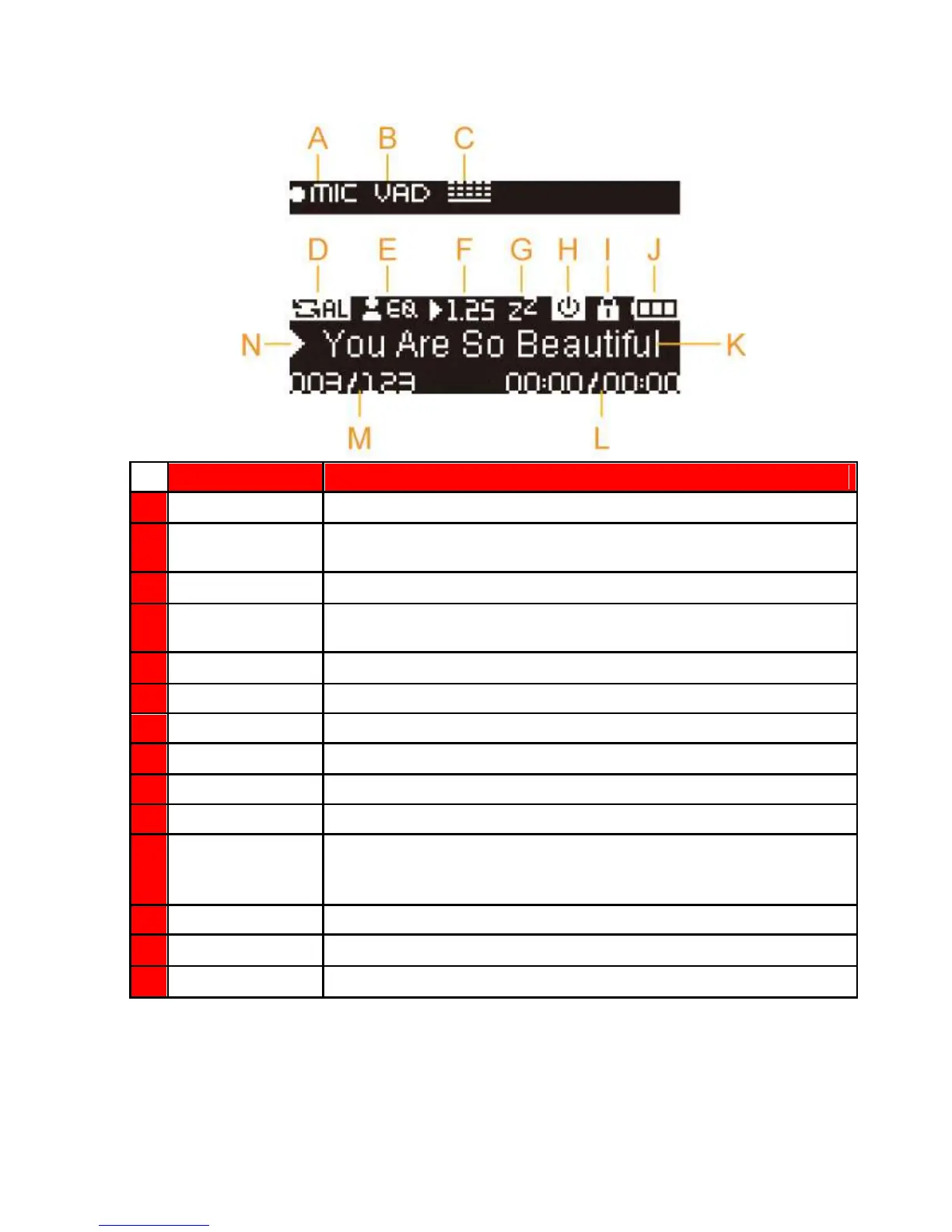
Built-in Microphone, FM Radio or Line-In
Indicates Voice Activity Detection is enabled
Indicates the Record Quality, Low Quality, Medium Quality, High Quality
Normal, Repeat One, Repeat All, Shuffle, Normal in Folder, Repeat in
Folder, Shuffle in Folder and A-B Repeat
Normal, Pop, Rock, Classical, Jazz, Bass, User EQ
The current playback speed
Auto Power Off function is enabled
Hold switch is enabled (controls are locked)
Album / Artist /
Lyrics / Song Title
Displays album title, artist name, song title, file name, or lyrics
The total length (play time) of the file
Current track number and total number of tracks available
Play, Pause, Fast Forward, Rewind, Stop, or Record status















 To Next Page