Installing an MP—Models MP-341 and MP-352
Chapter 3
Trapeze Mobility Point Installation Guide
Version 3.0
50
Confidential—Beta1 Draft—Confidential—Beta1 Draft—20 Sep 04
Tabletop Installation
(For required mounting hardware and tools, see Table 6 on page 27.)
1 Reverse the universal mounting bracket:
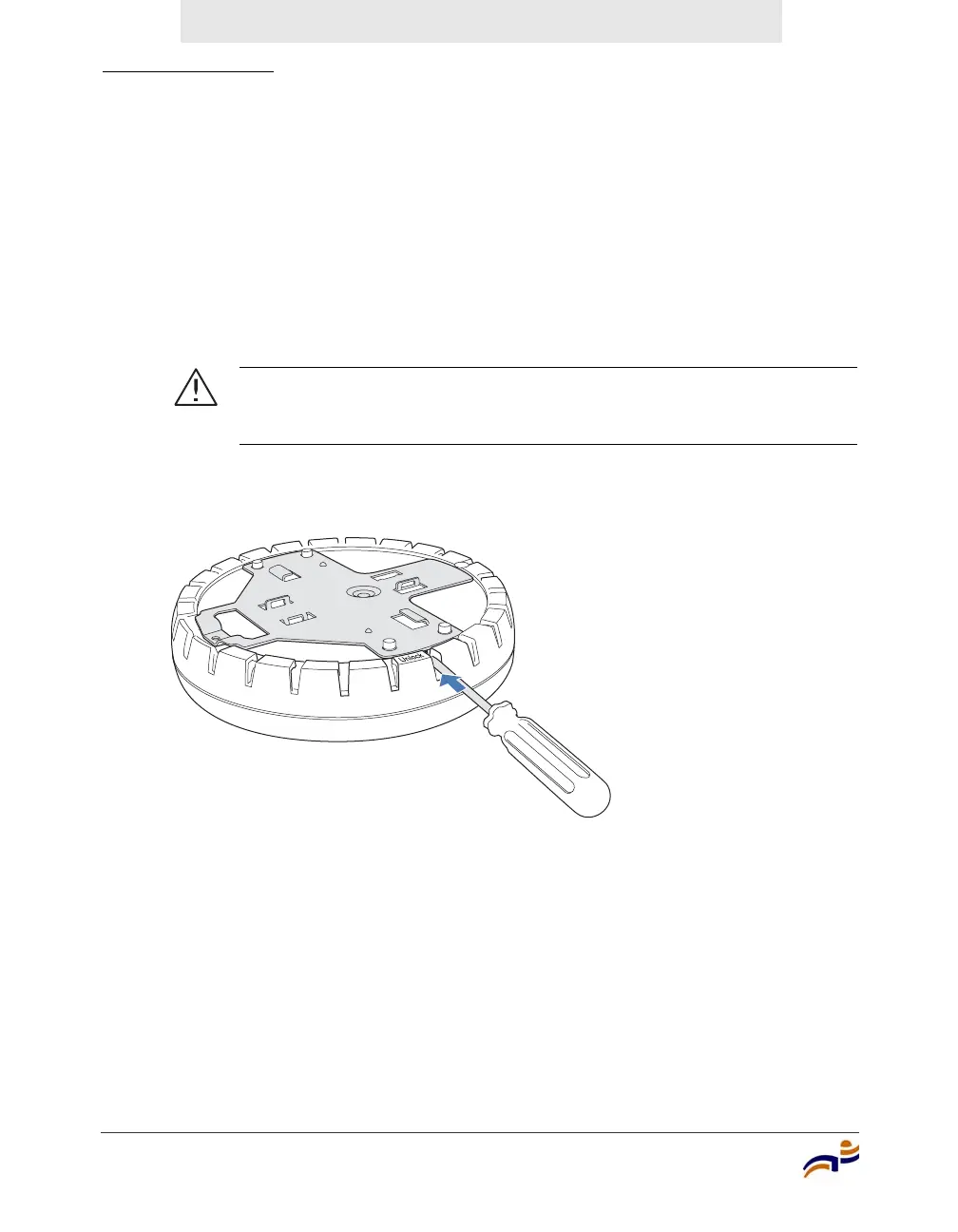
a Unlock the universal mounting bracket from the MP access point by
inserting the 3-mm or 1/8-inch screwdriver into the Unlock hole on the
MP access point as shown in Figure 34.
Figure 34. Step 1a—Unlocking the Bracket
Caution! To avoid damage to the MP access point’s lock mechanism
or electronic components, do not use excessive force when inserting a
tool into the Unlock or Lock hole.
840-9502-0011



 To Next Page