Installing an MP—Models MP-341 and MP-352
Chapter 3
Installing and Connecting an MP
35
Confidential—Beta1 Draft—Confidential—Beta1 Draft—20 Sep 04
Suspended Ceiling Installation—Drop Ceiling Tiles
(For required mounting hardware and tools, see Table 6 on page 27.)
1 Select an installation location that is centered over a T-bar in the ceiling.
2 Cut a hole as follows in the ceiling tile for the Cat 5 cable(s):
a Place the mounting template over the area where you plan to install the
MP access point.
b Use the box cutter to cut along the line marking the opening for the port
connectors.
c Remove the mounting template and the material you cut from the ceiling
panel.
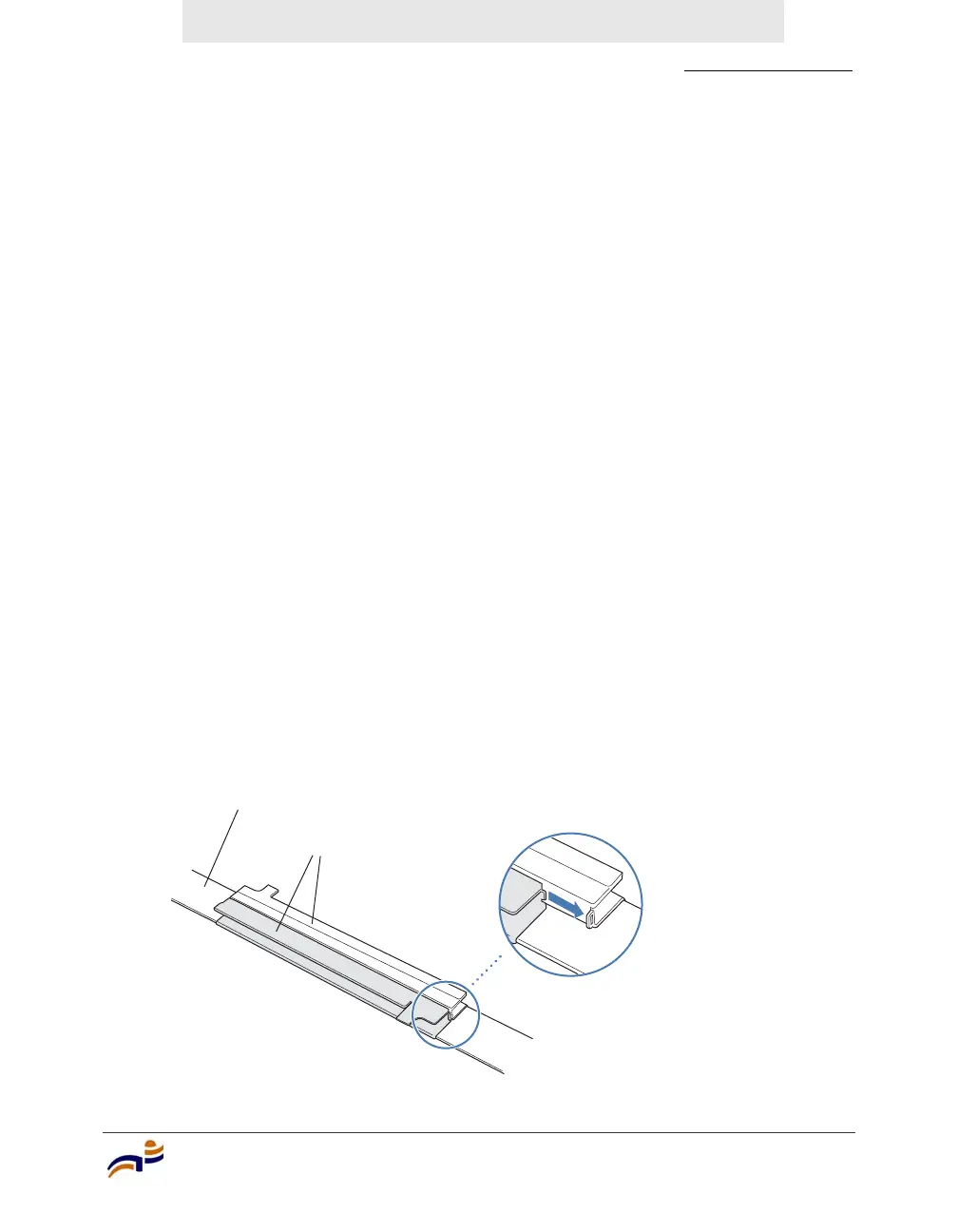
3 Install the T-bar clamp that fits the T-bar:
a Slide each half of the clamp onto the T-bar so that the clamp lip is fully on
the T-bar.
b Slide the two halves of the clamp toward each other until the tabs are
inserted completely into the holes and the clamp fits snugly on the T-bar.
Figure 17 shows an example for a 23.9-mm (15/16-inch) T-bar. Figure 18
shows an example for a 15.9-mm (5/8-inch) T-bar.
Figure 17. Step 3—Installing the T-bar Clamp for a 23.9-mm
(15/16-inch) T-bar
T-bar
T-bar clamp halves
Slide together
840-9502-0003



 To Next Page