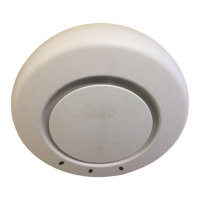
Installing an MP—Models MP-341 and MP-352
Chapter 3
Installing and Connecting an MP
27
Confidential—Beta1 Draft—Confidential—Beta1 Draft—20 Sep 04
Installing an MP—Models MP-341 and
MP-352
To install an MP access point, use one of the procedures in this section.
Installation Hardware and Tools
Table 6 lists the mounting hardware and tools required for each type of
installation.
Table 6. Required Mounting Hardware and Tools—Models MP-341
and MP-352
Mounting Option Required Hardware and Tools
Included with the
Product
Suspended ceiling—flush
ceiling tiles
Mounting template Yes
Universal mounting bracket Yes
T-bar clamp
Note: A T-bar clamp is not required
for a 23.9-mm (15/16-inch) T-bar
ceiling with flush ceiling tiles.
Yes
Box cutter No
Small screwdriver (3-mm or
1/8-inch)
No
Suspended ceiling—drop
ceiling tiles
Mounting template Yes
Universal mounting bracket Yes
T-bar clamp Yes
Box cutter No
Small screwdriver (3-mm or
1/8-inch)
No



 To Next Page