Installing an MP—Model MP-52
Chapter 3
Installing and Connecting an MP
57
Confidential—Beta1 Draft—Confidential—Beta1 Draft—20 Sep 04
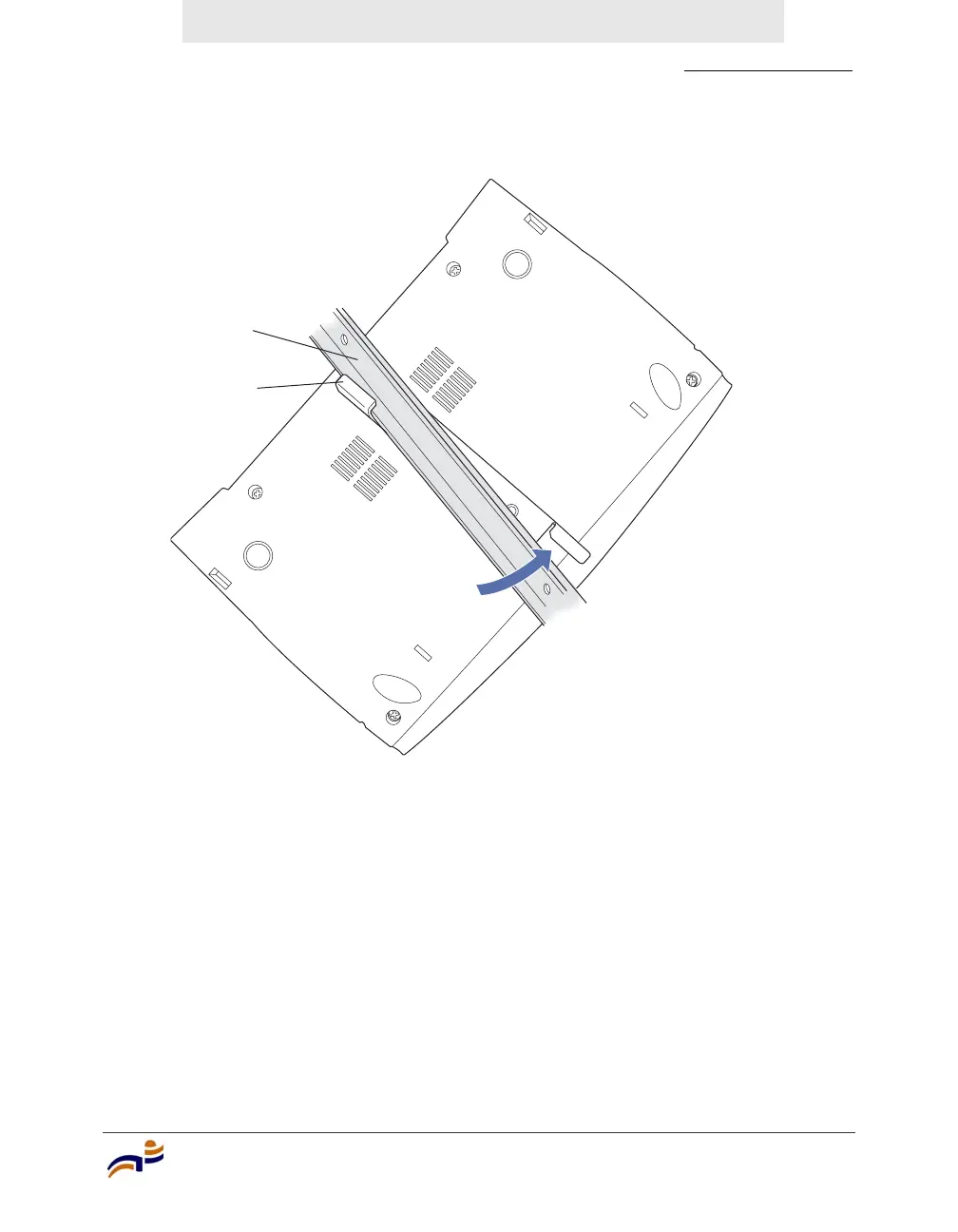
Figure 41. Step 6—Attaching the MP to the T-bar
7 Plug the Cat 5 cable into the LAN connector on the back.
8 If the other end of the Cat 5 cable is not already connected and the link
activated, go to “Connecting an MP to an MX Switch” on page 59. Otherwise,
go to “Verifying MP Health” on page 61.
T-bar
(Viewed from above ceiling tiles, looking down.)
840-9502-0085
Mounting
bracket



 To Next Page