─ 23 ─
Console Panel Functions
CONSOLE PANEL FUNCTION
1. TIME WINDOW
Indicates elapsed time after pressing start in minutes and seconds (0-99minutes,
0-59seconds).
2. SPEED WINDOW
Indicates workout speed MPH (miles per hour) or KPH (kilometer per hour) in 0.1
increments.
3. INCLINE WINDOW
Indicates incline in percent of grade 0—15% in 1 increments.
4. PULSE WINDOW
Indicates user's current heart rate (BPM).
5. CALORIES WINDOW
Indicates estimated calories used based on 68Kg person at the indicated speed,
incline, and time.
6. DISTANCE WINDOW
Indicates Kilometers or Miles traveled in 0.01 increments up to 9.99 and 0.1
increments starting at 10.0 (Range 0.01---999).
7 STEPS WINDOW
Indicates user exercise steps.
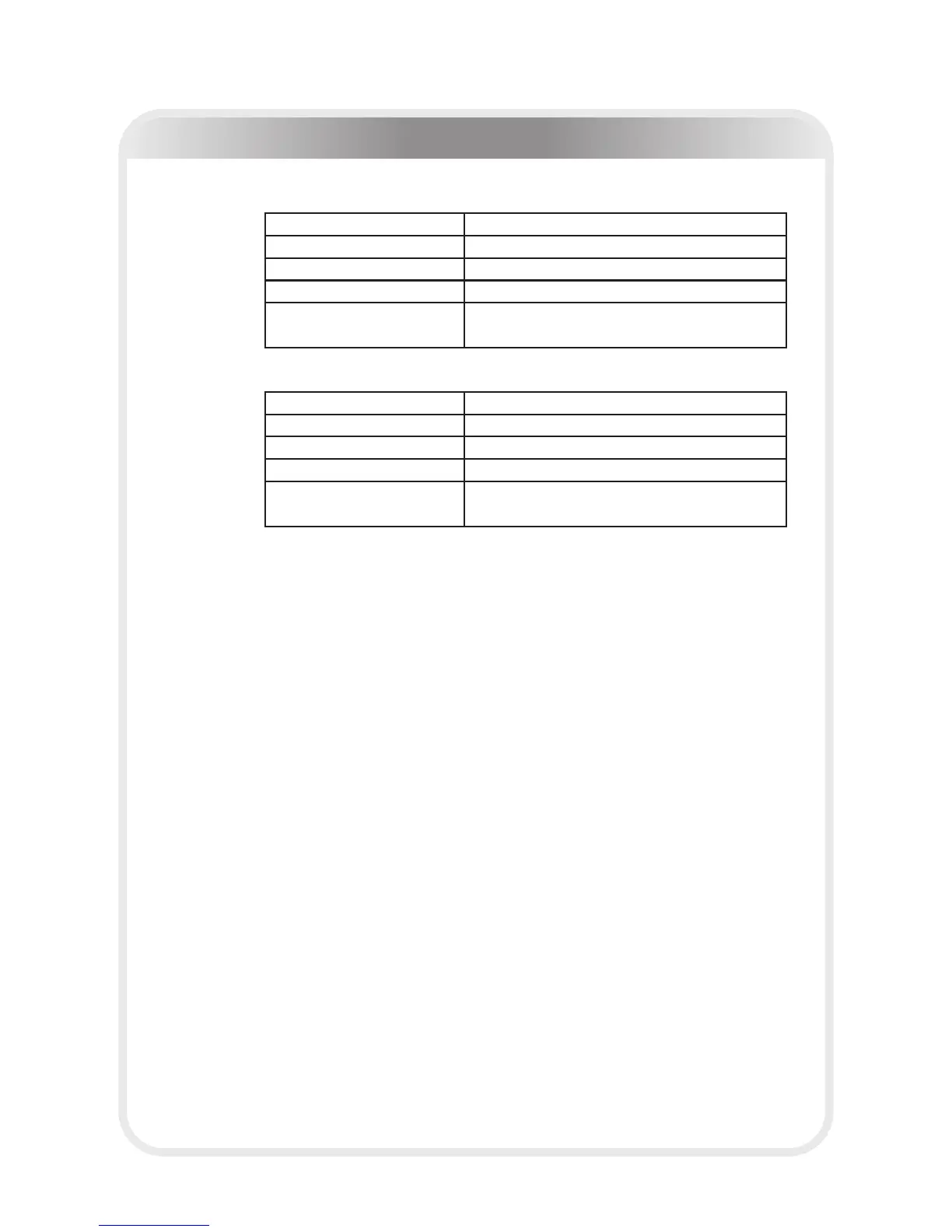
110V
220V
INPUT VOLTGAE:
110-120V~ 50/60Hz
RATED CURRENT:
18A
SPEED RANGE:
1.0-20KPH
INCLINE RANGE:
0-15%
DISPLAY:
SPEED, TIME, INCLINE, DISTANCE, STEPS,
CALORIE, HEART RATE, DOT MATRIX
INPUT VOLTGAE:
220-240V~ 50/60Hz
RATED POWER:
2200W
SPEED RANGE:
1.0-20KPH
INCLINE RANGE:
0-15%
DISPLAY:
SPEED, TIME, INCLINE, DISTANCE, STEPS,
CALORIE, HEART RATE, DOT MATRIX



 To Next Page