EasyManua.ls Logo

TREMOL S25 - General Parameter Settings

TREMOL S25
31 pages
Print Icon
To Next Page IconTo Next Page
To Previous Page IconTo Previous Page
Loading...
User manual TREMOL S25
14
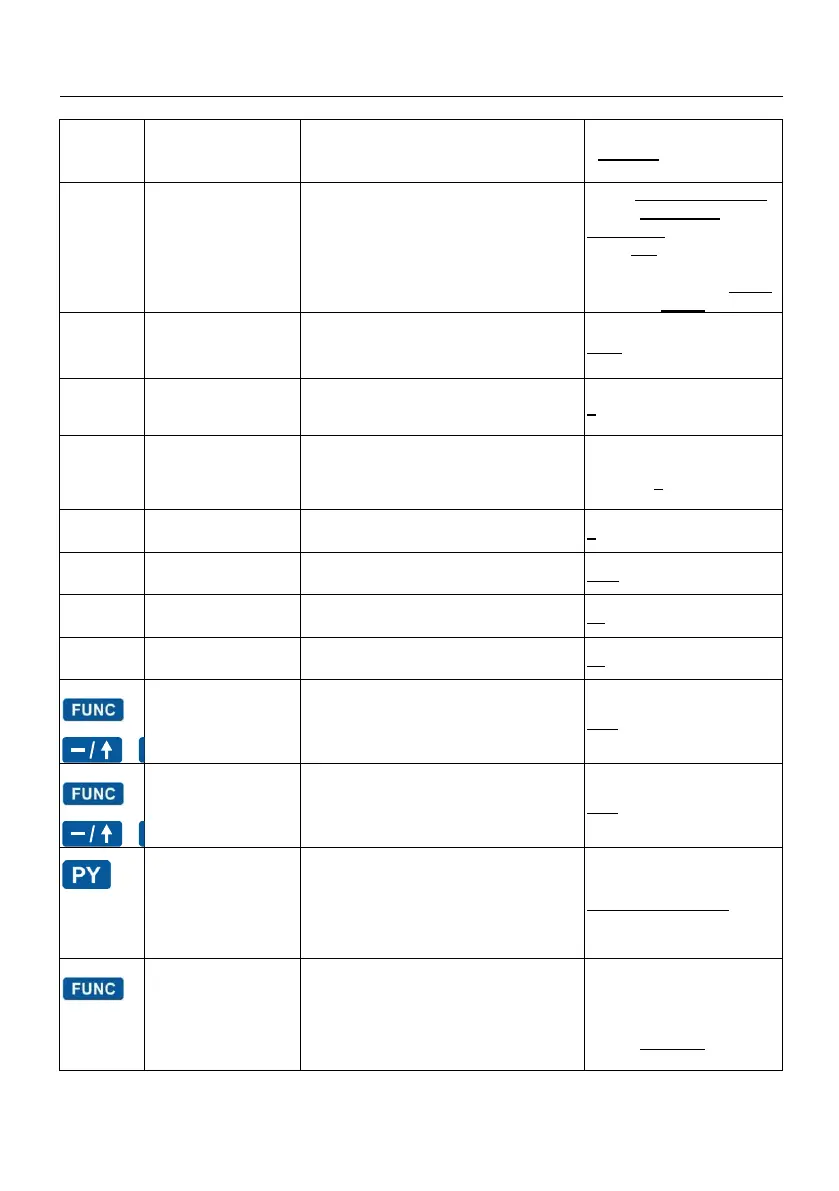
GENERAL PARAMETERS -SETTINGS
Key
Parametrii
generali
Parameter description
Default value, range
0
0 Header
Header/Footer line submenu:
Header No:1
….
Antet No:10- Header lines from 1 to 8
PIN
Footer No:1 - Footer line
Line1: COMPANY NAME
Line 2: COMPANY
ADDRESS
Line 3* : * * *
Line 4: * *
Line 5, 6 ,7 and 8 empty*
Footer 1 - empty*
1
1 ECR number
ECR POS number
0001 to 9999
2
Print Density
Printer Density
1 to 3
3
3 Display
Contrast
Display settings
Submenu:
Operator contrast
Client contrast
03 to 10, 5
4
4 Logo
Logo number selection
0 or 1
5
5 Timeout
Switch-off timeout
OFF, 01,02,05,10 min
6
6 Weight
Barcode
Weight/QTY Barcode prefix
28
7
7 Oper. Barcode
Operator Barcode prefix
27
Addition
programmable Addition
0.00 to 99,99
Discount
programmable Discount
0.00 to 99,99
PRC Passwords
Select the submenu for passwords
X/Z/P programming:
- 0 Reset Passwords
- 1 Password Z
- 2 Password X
- 3 Password P
11111/22222/33333
1
Invoices range
Enter menu invoice number range
(the current invoice number is shown)
Two 10 digit numbers,
starting
0000000001 to
9999999999
default от 1 до 0 (no
default range is set)

Table of Contents

Other manuals for TREMOL S25

Related product manuals