-17-
CRT MK2
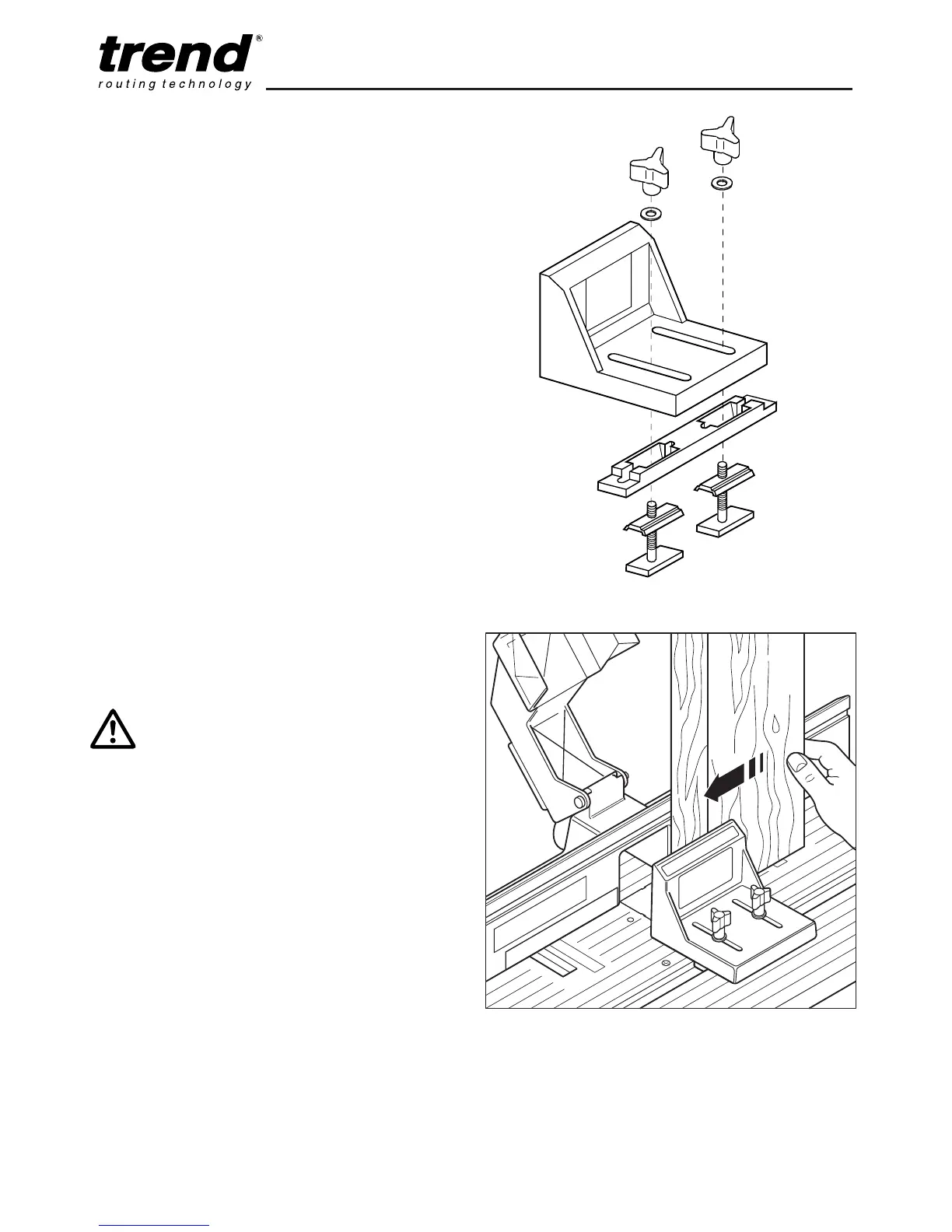
Vertical Routing Support - CRT/5
For safe routing of narrow panels a vertical
routing support is available.
■ Assemble the support as shown.
■ Adjust the depth of cut and router cutter
height making sure the router is unplugged
when making these adjustments.
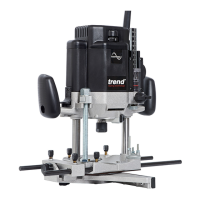
■ The vertical routing support should be
positioned to guide the workpiece but allow it
to slide freely.
■ It is important to check that the entire length
of the workpiece will travel between the fence
and the support without binding. This is done
simply by holding the workpiece up to clear
the router cutter and passing it through the
cutting area to ensure no binding occurs.
■ Once the vertical routing support is
positioned correctly lock it into place securely
by tightening both knobs so that the vertical
routing support will not move.
IMPORTANT:
Do not overtighten the knobs as
this may result in damage.
CRT/5


 To Next Page