S108 User Guide
43
Confirm password: card
After finished it, you can dial-up to internet via cellphone now.
6. Frequently asked questions (FAQ)
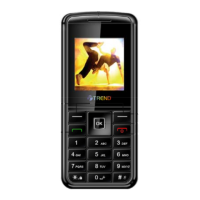
Here you will find answers to questions that you may have about your Trend Z-222
mobile phone.
Q. What is my Security Code?
A. The Default Security code is 0000. However, it is suggested that you change this code
immediately. Certain features can be used only after the correct security code has been
successfully entered.
Q. How do I change the Security Code?
A. Settings
Security Enter Lock code (By Default lock code is 0000 Change lock
code
Enter Lock code (enter any code which you are able to remember easily)
Confirm Lock code Ok
Q. What is the RUIM Lock?
A. The RUIM lock code enables you to lock your RUIM card, thus preventing someone
else from using it. The Default RUIM Lock is 1234, however, it is suggested that you
change this code immediately.
Q. How to change the RUIM Lock?
A. Settings
Security Enter Lock code (By Default lock code is 0000 PIN
Management
Change PIN Enter old PIN (By Default PIN is 1234) Enter new PIN
Repeat new PIN
Ok
Q. How to enable RUIM Card Lock?
A. Settings
Security Enter Lock code (By Default lock code is 0000) PIN
Management
Enable PIN Enter PIN (By Default PIN is 1234) Ok
Q. How do I increase the volume of the phone ringer?
A. Profiles
select any mode Edit profile Ringer volume select high
Q. How do I change the ringing tone?
A. Profiles select any mode Edit profile Ring tone select any music Ok
Q. How do I view the last dialed numbers?
A. Press the call key to select the last dialed call.


 To Next Page