S108 User Guide
9
2. Handset guide
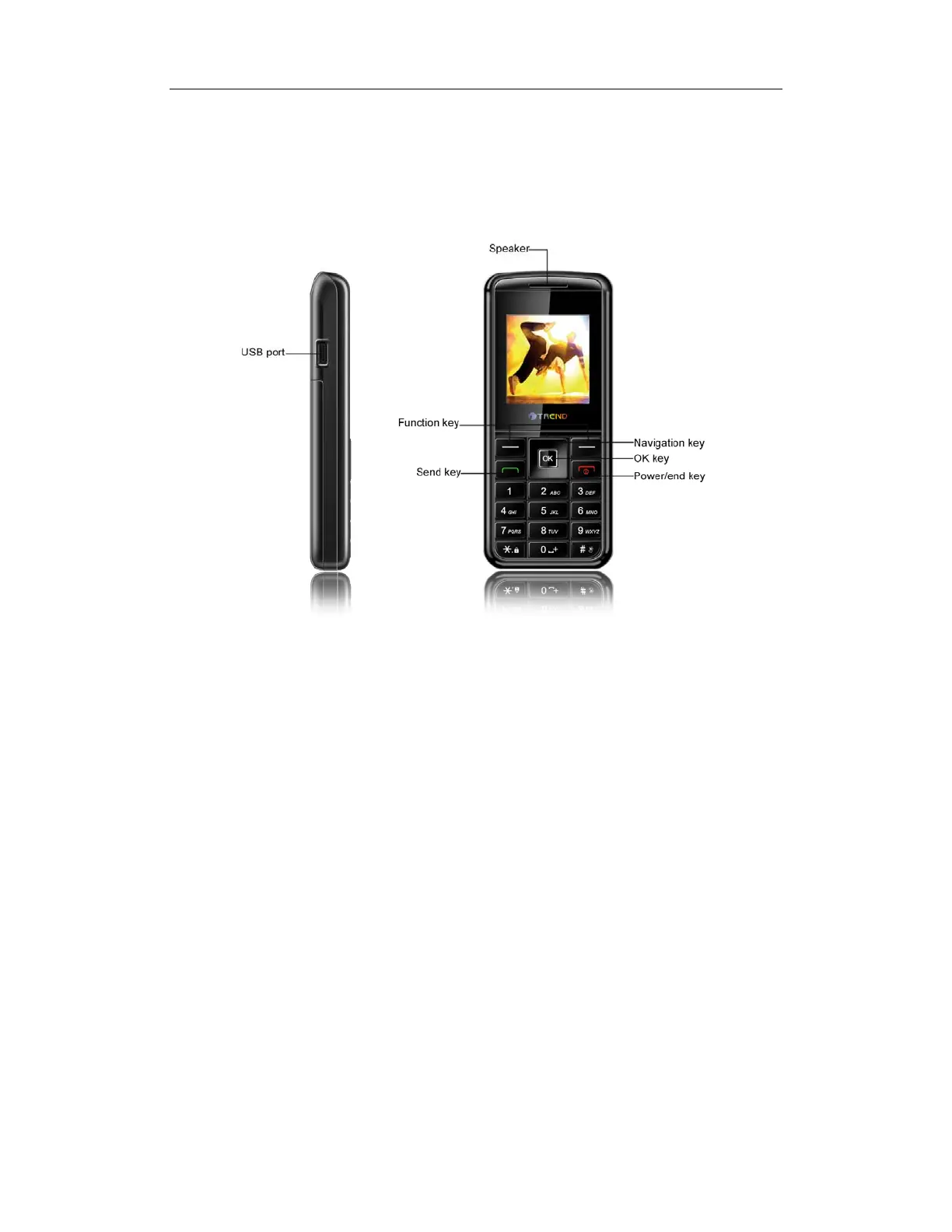
Appearance
2.1 Keypad
2.1.1 Power /End key
Pressing and holding the key can switch on/off the mobile phone. Pressing the key can
end a call during a phone call or reject an incoming call. Pressing the key in the menu can
also return to the idle mode.
2.1.2 Send key
You can dial or answer a call with the key. In idle mode, pressing the key can lead you to
the recent calls list.
2.1.3 Function keys
The Left/Right keys are used to carry out the corresponding operation of last line on


 To Next Page