© Copyright 2012 TRENDnet. All Rights Reserved.
TRENDnet User’s Guide
TEW-664UB
2
Product Hardware Features
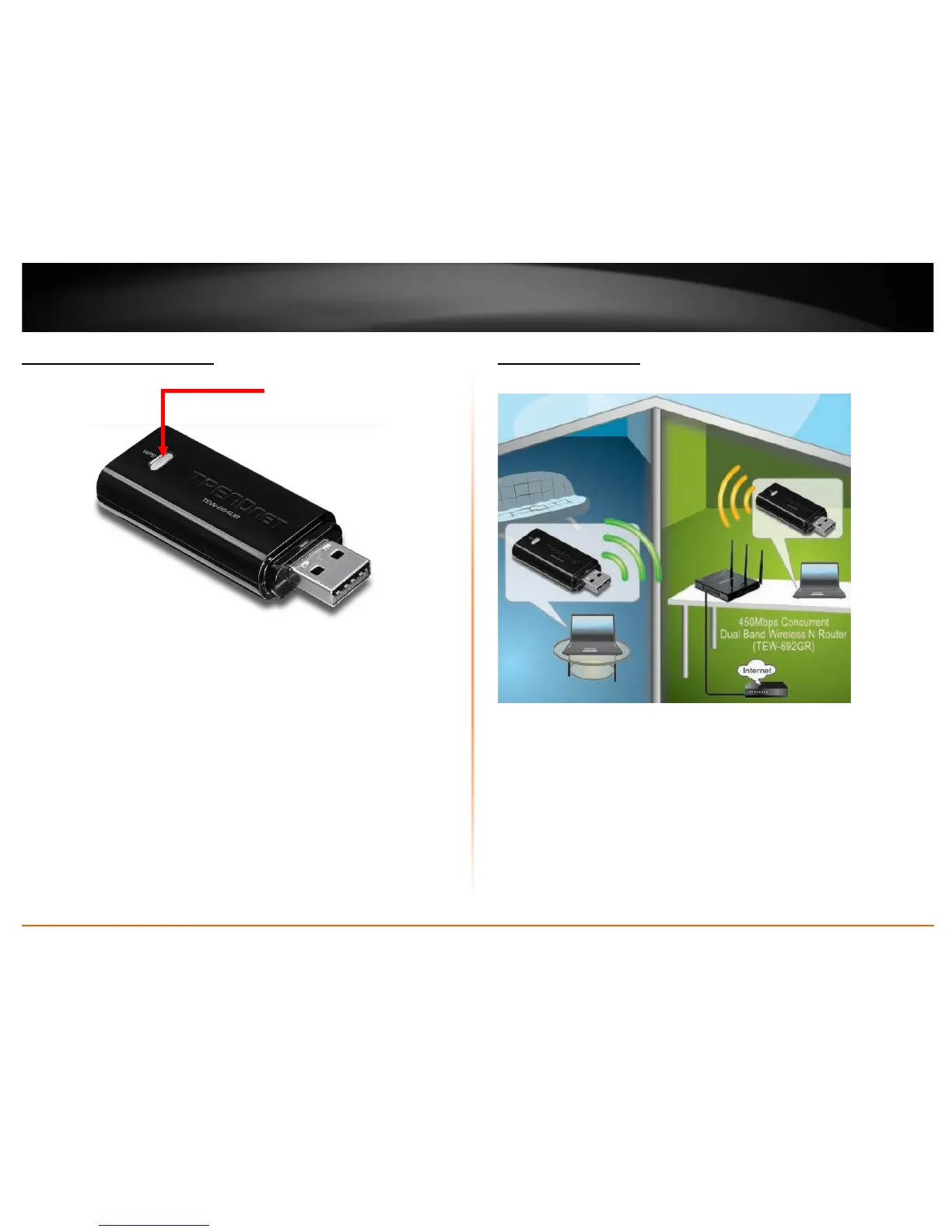
• Power/Status LED -This LED turns on when the USB adapter has power and ready
for use and blinks during wireless data transmission.
• WPS (Wi-Fi Protected Setup) button – Push and hold this button for 3 seconds to
activate WPS. The Power/Status LED will blink blue when WPS is activated.
Application Diagram
The router is installed near the modem (typically supplied by your ISP “Internet Service
Provider”) and physically connected to it from the router’s WAN port to the modem’s
network port which connects to the Internet. Wireless signals from the router are
broadcasted to wireless clients such as laptops (with wireless capability) thereby
providing Internet access.
LED/WPS button











 To Next Page