© Copyright 2012 TRENDnet. All Rights Reserved.
TRENDnet User’s Guide
TEW-664UB
7
• Authentication: The authentication type used on the wireless adapter. This
information is useful to determine if the applied wireless authentication is the same
as your wireless network.
• Region: The wireless adapter’s wireless region.
• MAC Address: The MAC address of the wireless adapter. This information is useful
to determine your wireless adapter when looking at the DHCP server list of your
wireless adapter.
• Data Rate: Displays the data rate of the wireless adapter and your wireless
network.
• Channel: Displays the channel of your wireless network is using and the wireless
adapter is connected to.
• Status: Displays the status of the wireless adapter. This information is useful when
troubleshooting the connection of the wireless adapter and your wireless network.
• SSID: The SSID your wireless network is connected to.
• Network Type: Displays the type of network the wireless adapter set to.
• Associated AP MAC: Displays the MAC address of the device the wireless adapter is
connected to.
• Up Time: Displays how long the wireless adapter has been connected.
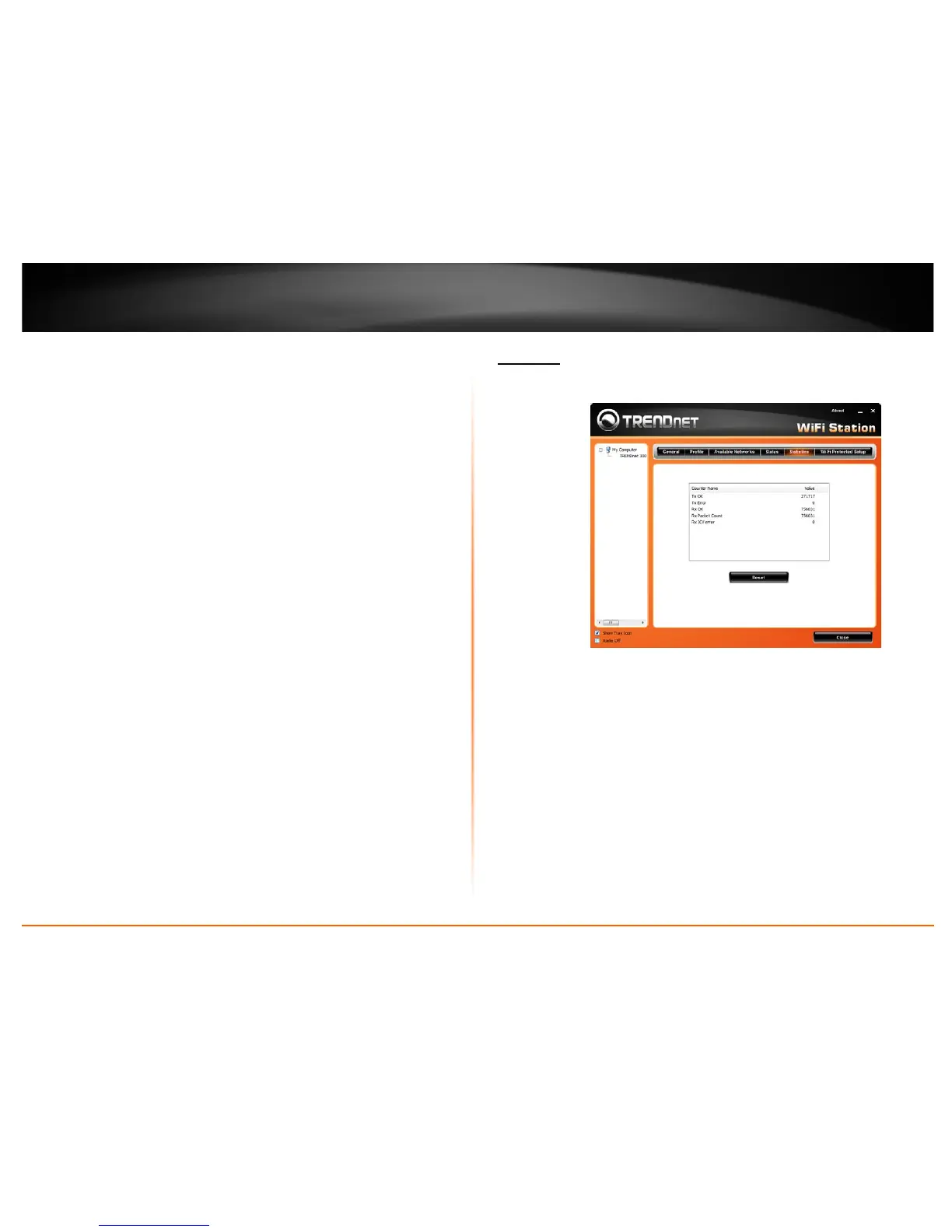
Statistics
This section displays the statistics of the adapter connection. TX means transmission and
RX means Reception.
• Counter Name: Type of packets.
• Value: The value of packets.
• Reset: Click this button to clear the table.











 To Next Page