© Copyright 2012 TRENDnet. All Rights Reserved.
TRENDnet User’s Guide
TEW-664UB
3
Installation
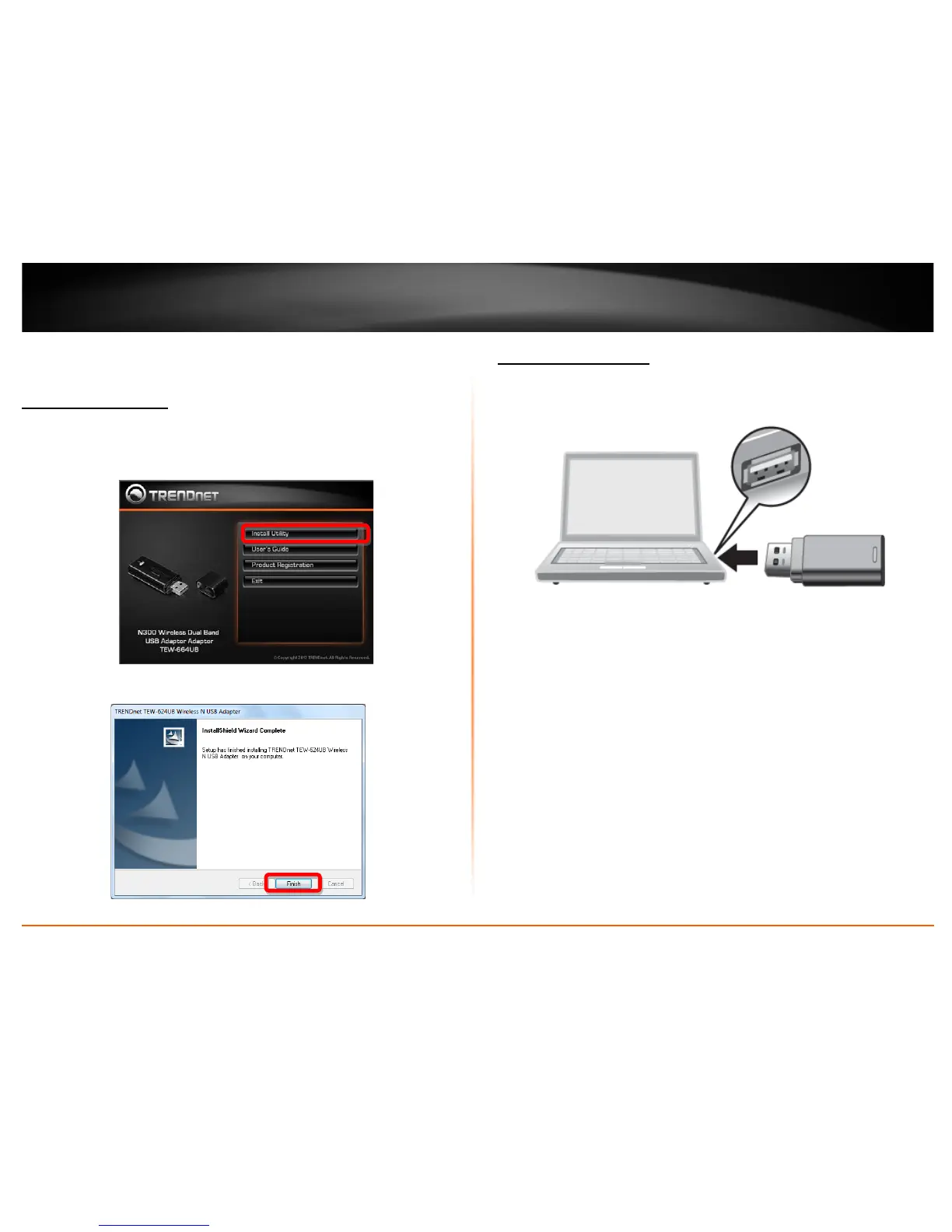
Software Installation
This section describes how to install the driver and utility for the N300 Wireless Dual
Band USB Adapter
.
1. Insert the Utility and Driver CD-ROM into your computer’s CD-ROM Drive and then
click Install Utility.
2. Follow the InstallShield Wizard Instructions
3. Click Finish to restart the computer.
Hardware Installation
1. Plug the
N300 Wireless Dual Band USB Adapter into an available USB slot on your
computer.
2. Verify that the LED is turned on. Continue to the next section on how to configure
that wireless adapter.











 To Next Page