
 Need help?
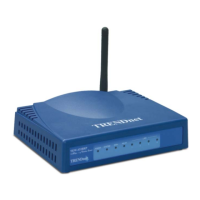
Do you have a question about the TRENDnet TEW-432BRP - Wireless Router and is the answer not in the manual?
Guidelines for using wireless LAN devices safely and in authorized environments.
FCC rules statement and operating conditions for the device.
Information on radio frequency interference and exposure compliance.
Product warnings for CE mark and country-specific usage rules.
Overview of the user's guide content, purpose, and structure.
Steps for unboxing the router and identifying package contents.
Guidance on initial physical setup and placement of the router.
Details on installing the router's front and rear panels.
Setting up TCP/IP properties for older Windows operating systems.
Configuring TCP/IP settings for Windows 2000.
Setting up TCP/IP properties for Windows XP.
Accessing the router configuration via wireless or wired network.
Navigating and using the router's web-based configuration utility.
Step-by-step guide for initial router configuration using the wizard.
Configuring the local network IP address, subnet mask, and DHCP server.
Configuring the router's internet connection type and parameters.
Setting administrative and user passwords for router access.
Setting the router's clock, time zone, and daylight saving options.
Enabling/disabling wireless, setting SSID and channel.
Configuring WEP, WPA, and WPA-PSK for secure wireless connections.
Adjusting advanced wireless transmission settings like beacon interval and fragmentation.
Viewing router hardware, firmware, and connection status.
Accessing and configuring system logs for events and statistics.
Information on connected wireless devices and their status.
Setting up static routes for network traffic forwarding.
Configuring dynamic routing protocols and Network Address Translation.
Displaying the router's network interconnection topology and routes.
Allowing or denying internet access based on device MAC addresses.
Filtering network traffic based on protocols and IP address ranges.
Setting up virtual servers to direct WAN traffic to LAN servers.
Configuring special applications and DMZ for enhanced connectivity.
Defining and managing firewall rules for network security.
Tools for system reset, saving/loading configurations, and firmware updates.
Performing network connectivity tests to IP addresses or hosts.
Detailed hardware and wireless specifications of the router.
Details on product warranty terms, conditions, and claims.
 General
| Frequency Band | 2.4 GHz |
|---|---|
| Wireless Speed | 54 Mbps |
| Ports | 4 x 10/100Mbps LAN, 1 x 10/100Mbps WAN |
| Security | WEP, WPA, WPA2 |
| Connectivity Technology | Wireless |
| Data Transfer Rate | 54 Mbps |
| Wireless Protocol | 802.11b/g |
| Wireless Standard | IEEE 802.11b, IEEE 802.11g |
| Encryption Algorithm | WEP, WPA, WPA2 |
| Standards | IEEE 802.11b, IEEE 802.11g |
| Firewall | SPI |
| Wireless Data Rates | 54 Mbps |













 To Next Page
