W
IRELESS
S
ETTING
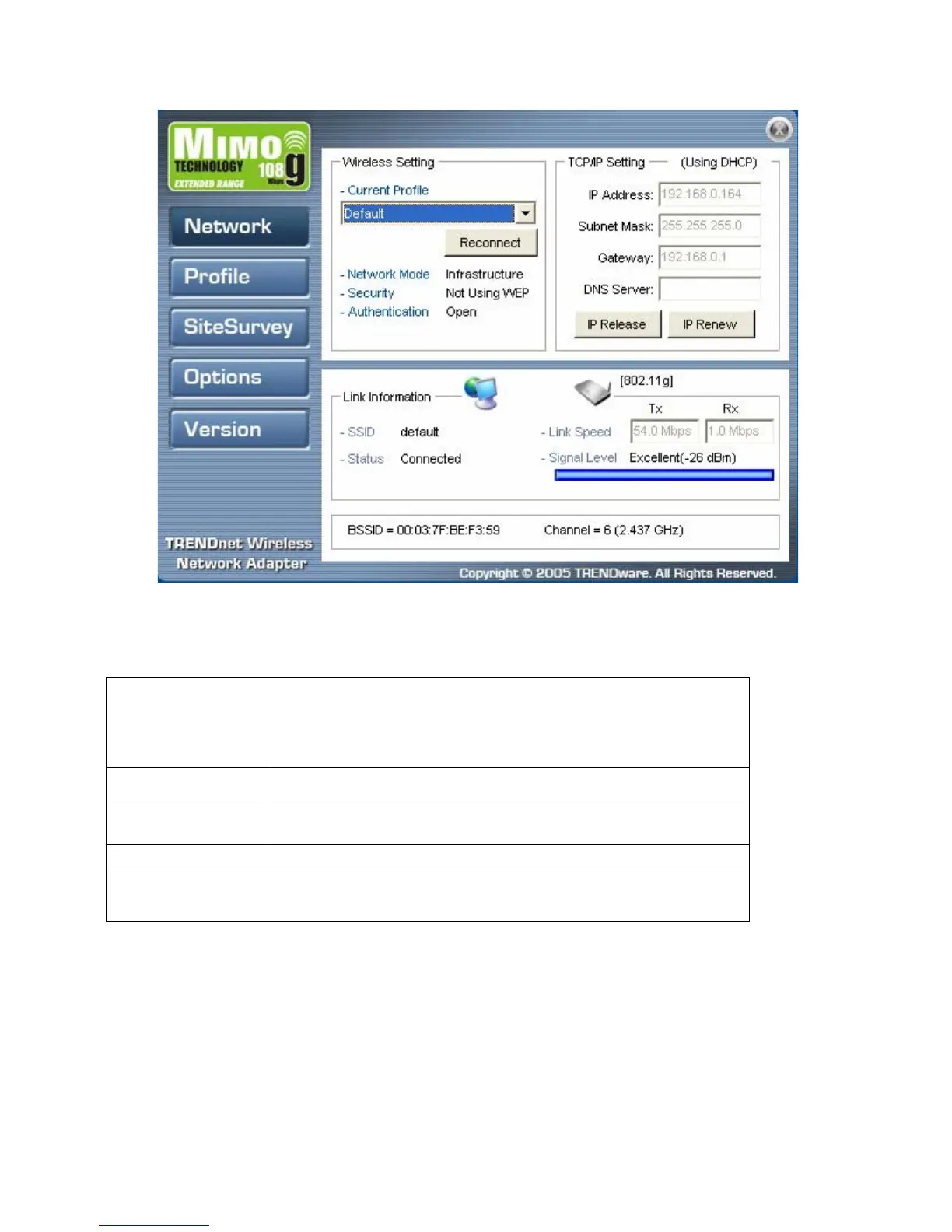
The Wireless Setting pane settings are described below
Current Profile
Shows the current profile you have selected. If you have not
added a profile, only Default shows. The settings shown in the
Network screen are for the current profile. Click the dropdown
arrow to select another profile.
Reconnect (button)
Press to reconnect to the current access point.
Network Mode
Shows the current network mode. Infrastructure or ad-hoc
mode. (See Note below for more information.)
Securit
Shows the securit
status.
Authentication
Shows the authentication required.



 To Next Page