Exploring the Wireless Client Utility Screens -- 15
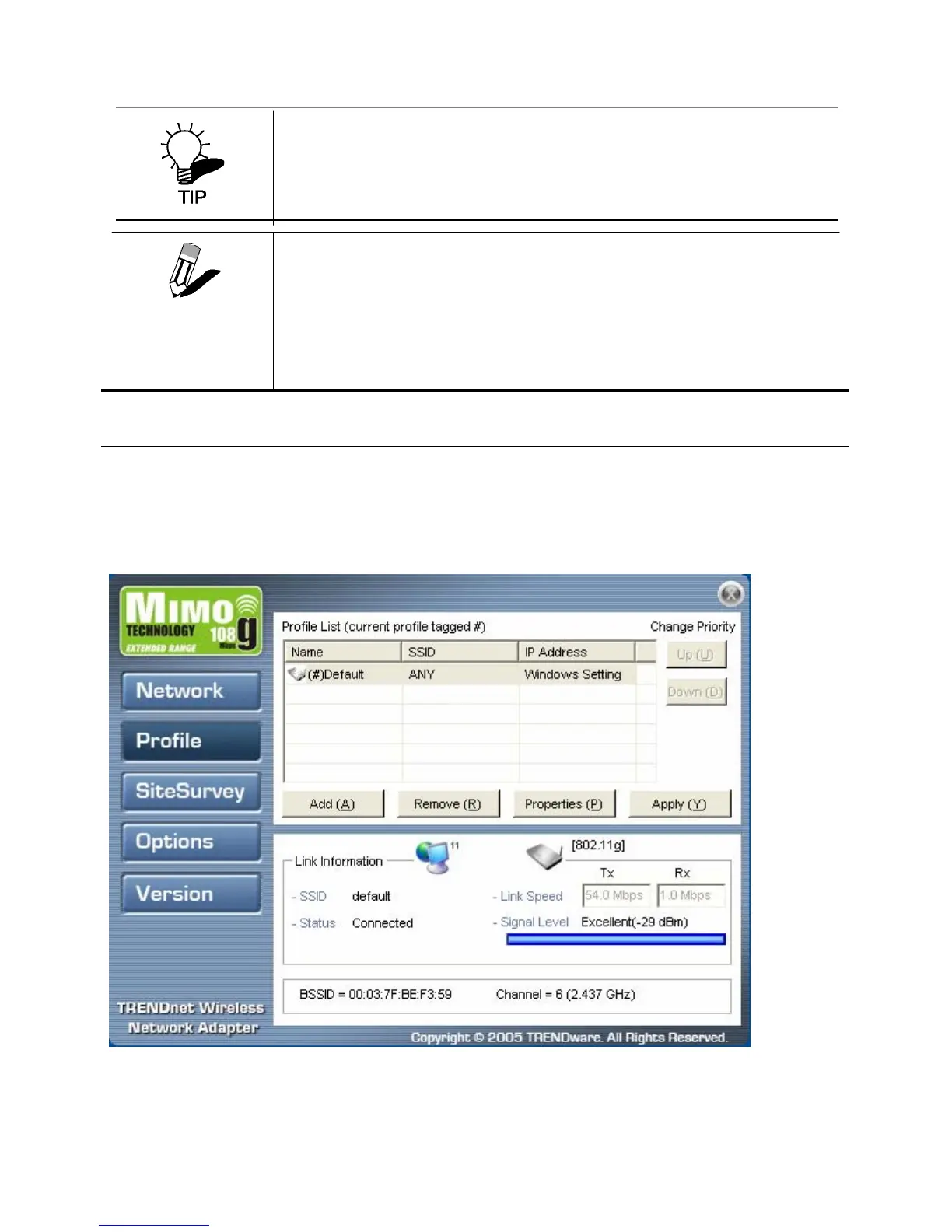
THE LINK INFORMATION PANEL IS SHOWN IN ALL SCREENS SO YOU CAN ALWAYS
SEE THE STATUS OF YOUR CURRENT CONNECTION. MONITOR THIS SETTING AS
YOU MOVE AROUND TO ATTAIN A SUITABLE SIGNAL..
The Profile Screen
A profile is a record of the configuration you use to connect to a particular access point. Without
profiles, you would have to reconfigure the TEW-601PC each time you change access points. Using
the Profile screen you can configure the TEW-601PC to access your home network and your office
network. Each configuration is saved as a profile.
WIRELESS SYSTEMS WORK IN INFRASTRUCTURE MODE OR AD-HOC
(PEER
-TO-PEER) MODE. IN INFRASTRUCTURE MODE, WIRELESS DEVICES
COMMUNICATE TO A WIRED LAN
VIA ACCESS POINTS. EACH ACCESS POINT AND
ITS WIRELESS DEVICES ARE KNOWN AS A
BASIC SERVICE SET (BSS). IN
D-HOC MODE (ALSO KNOWN AS PEER-TO-PEER MODE), WIRELESS DEVICES
COMMUNICATE WITH EACH OTHER DIRECTLY AND DO NOT USE AN ACCESS
POINT.
THIS IS AN INDEPENDENT BSS (IBSS).
NOTE



 To Next Page