© Copyright 2013 TRENDnet. All Rights Reserved.
TRENDnet User’s Guide
TEW752DRU
Click the Prev button to return to the previous step.
Click the Cancel button to finish the setup and return to the main menu.
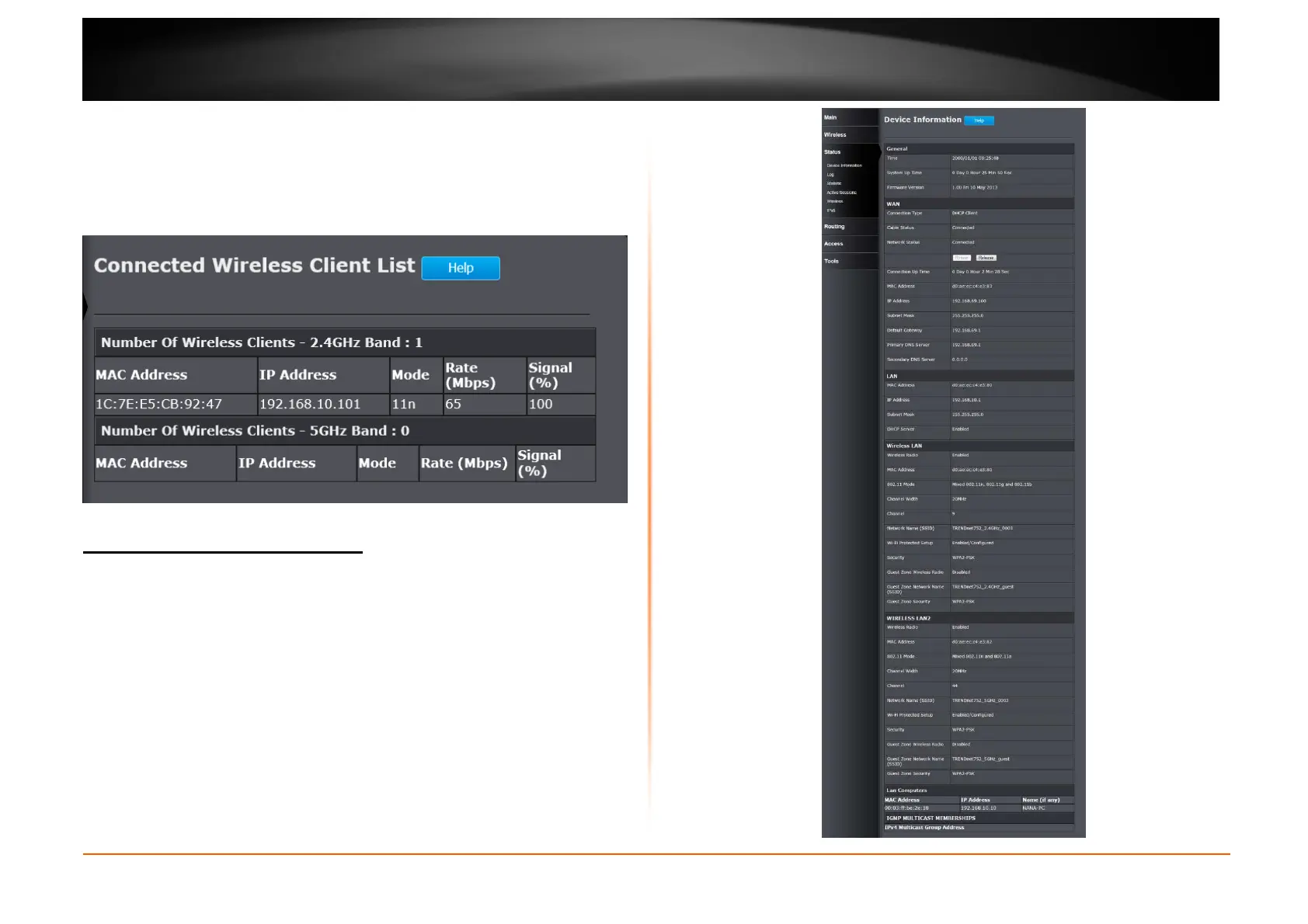
Click the Wireless Status button to view information about wireless clients
connected to the router.
After clicking the Wireless Status button, the following window appears.
Status > Device Information
This window displays the detail information about the Router. You can view
General, WAN, LAN, Wireless LAN, LAN Computers and IGMP Multicast
Memberships information.















 To Next Page