© Copyright 2013 TRENDnet. All Rights Reserved.
TRENDnet User’s Guide
TEW752DRU
Click the Save Settings button to accept the changes made.
Click the Don’t Save Settings button to discard the changes made.
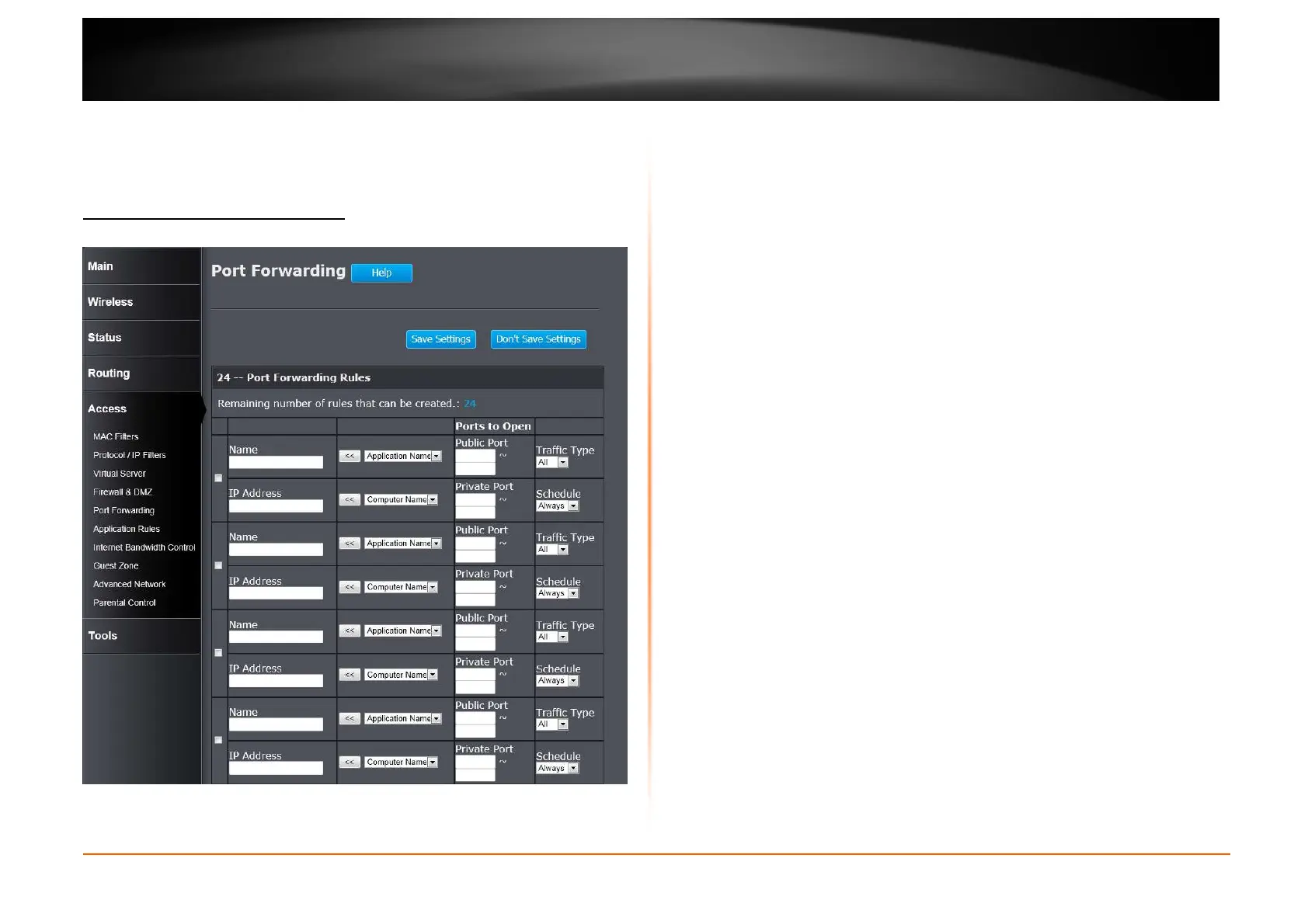
Access > Port Forwarding
This window is used to configure the port forwarding settings of the Router.
Checkbox: Tick the check box of each entry to enable the selected rule.
Name: Enter or select the application name for the rule.
IP Address: Enter or select the IP address or computer name for the rule.
Public Port: Enter the range of public port numbers used in this rule.
Private Port: Enter the range of private port numbers used in this rule.
Traffic Type: Select the traffic type. Options to choose from are All, TCP, and
UDP.
Schedule: Select the time schedule option.
Click the Save Settings button to accept the changes made.
Click the Don’t Save Settings button to discard the changes made.















 To Next Page