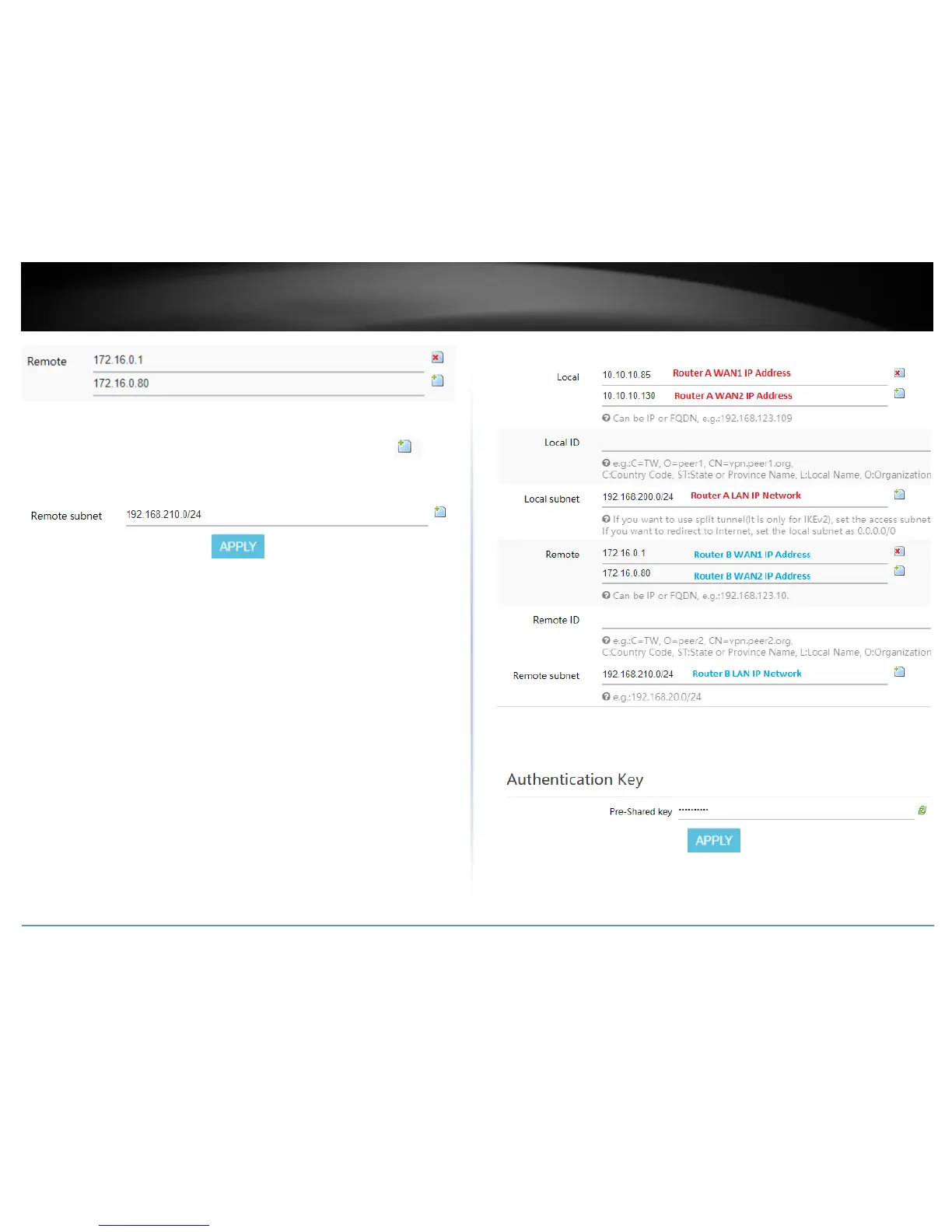
16. In the Remote subnet field, enter the remote LAN IP subnet. (e.g. 192.168.210.0/24)
and click Apply. You can add additional local subnets by click the add icon (e.g.
192.168.30.0/24)
Based on the example, the network settings will be the following:
17. Under Authentication Key, enter the Pre-Shared Key (PSK) for the IPsec VPN tunnel
and click Apply. (e.g. 1234567890)















 To Next Page