6
Connecting to Power
1. This Converter is a plug-and-play device.
2. Connect the supplied AC to DC power adaptor
with a power voltage of 7.5VDC/1.5Amp to the
receptacle on the rear panel of the converter, and
then attach the plug into a standard AC outlet
with a voltage range from 100 to 260VAC.
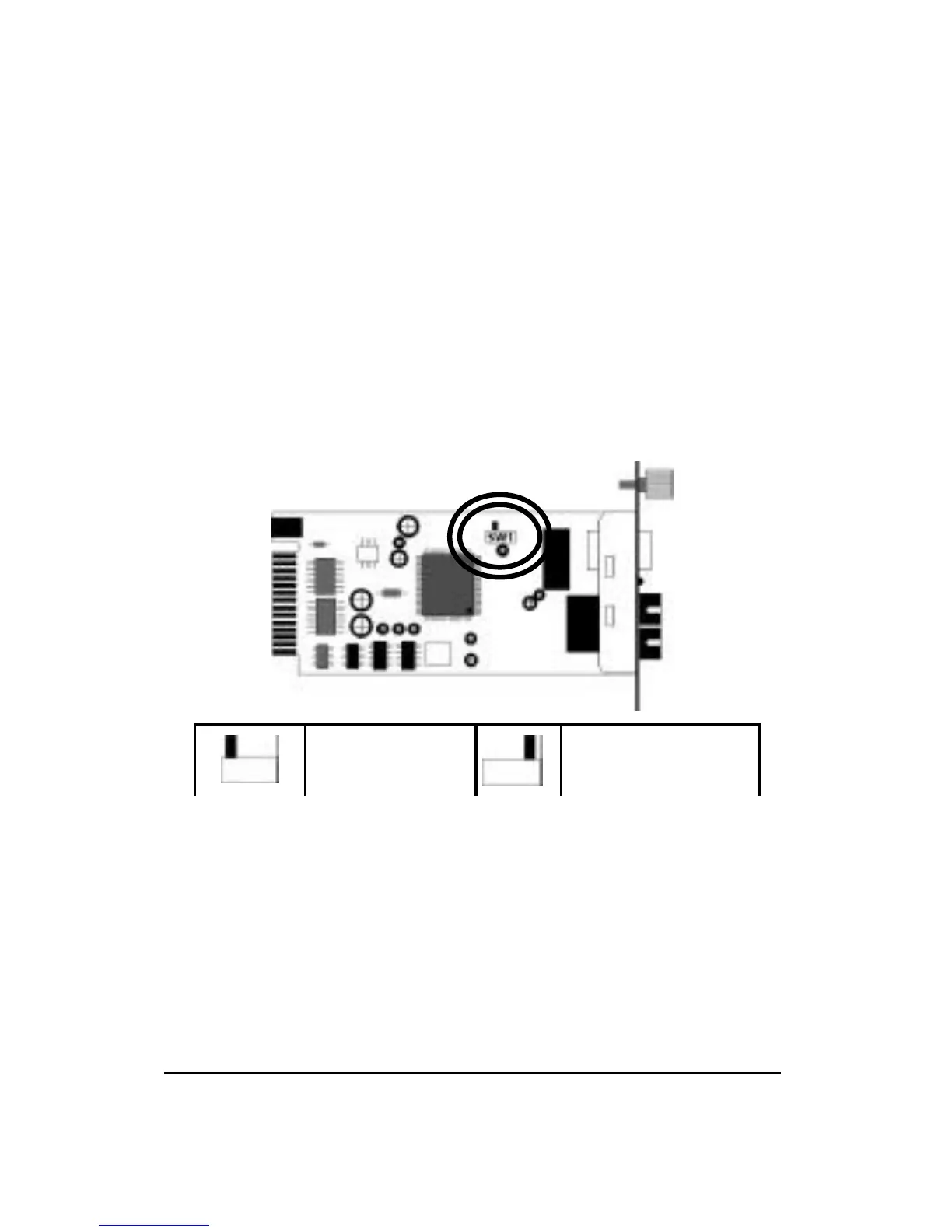
Sliding Switch
There is a sliding switch for duplex mode setting for
fiber port. Refer to the table below for more details.
Please select the correct duplex mode according to the
incoming/outgoing fiber connection.
If the Fiber Connection is running at half-duplex mode,
the maximum cable distance is 412 meters for both
multimode and single mode fiber cables.
Half Duplex
Full Duplex
(default)


 To Next Page