- 20 -
2. Click the easy_search.exe on your desktop to launch the utility.
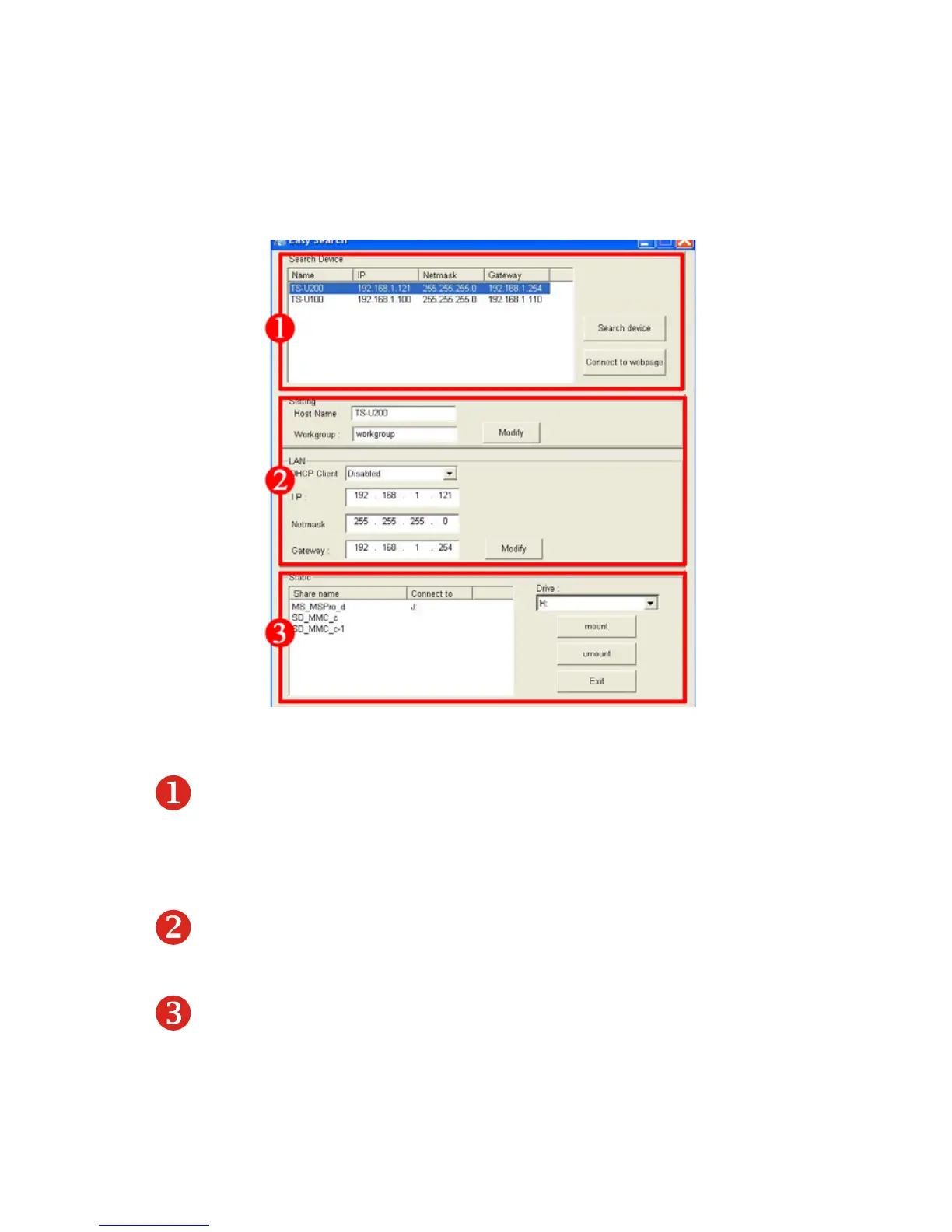
The control panel will appear as below.
Control Panel of Easy Search
• Search Device – when launching the utility, it will search the
connected storage server(s) automatically, and display the results
in the list. To refresh the list, click the Search device button
again. Clicking the Connect to webpage button will lead you to
the web configuration utility.
• LAN – select one storage server in the device list, and you can
change its settings in this field. When you change the settings,
click the Modify button to apply changed configuration.
Static – when you connect the USB device to the storage server,
click the mount/unmount button to attach/remove the device to
your system. Click the Exit button to close the utility.



 To Next Page